

ワークスペースとクレジット
利用状況を確認する
利用できるクレジットの残高を確認し、調査、レポート、返還の記録をたどります。
Usage ページには、利用できるクレジットの残高と、クレジットを何に使ったかが表示されます。調査を計画する前や、課金の内容がおかしいと感じたときに確認してください。
Usage ページの見方
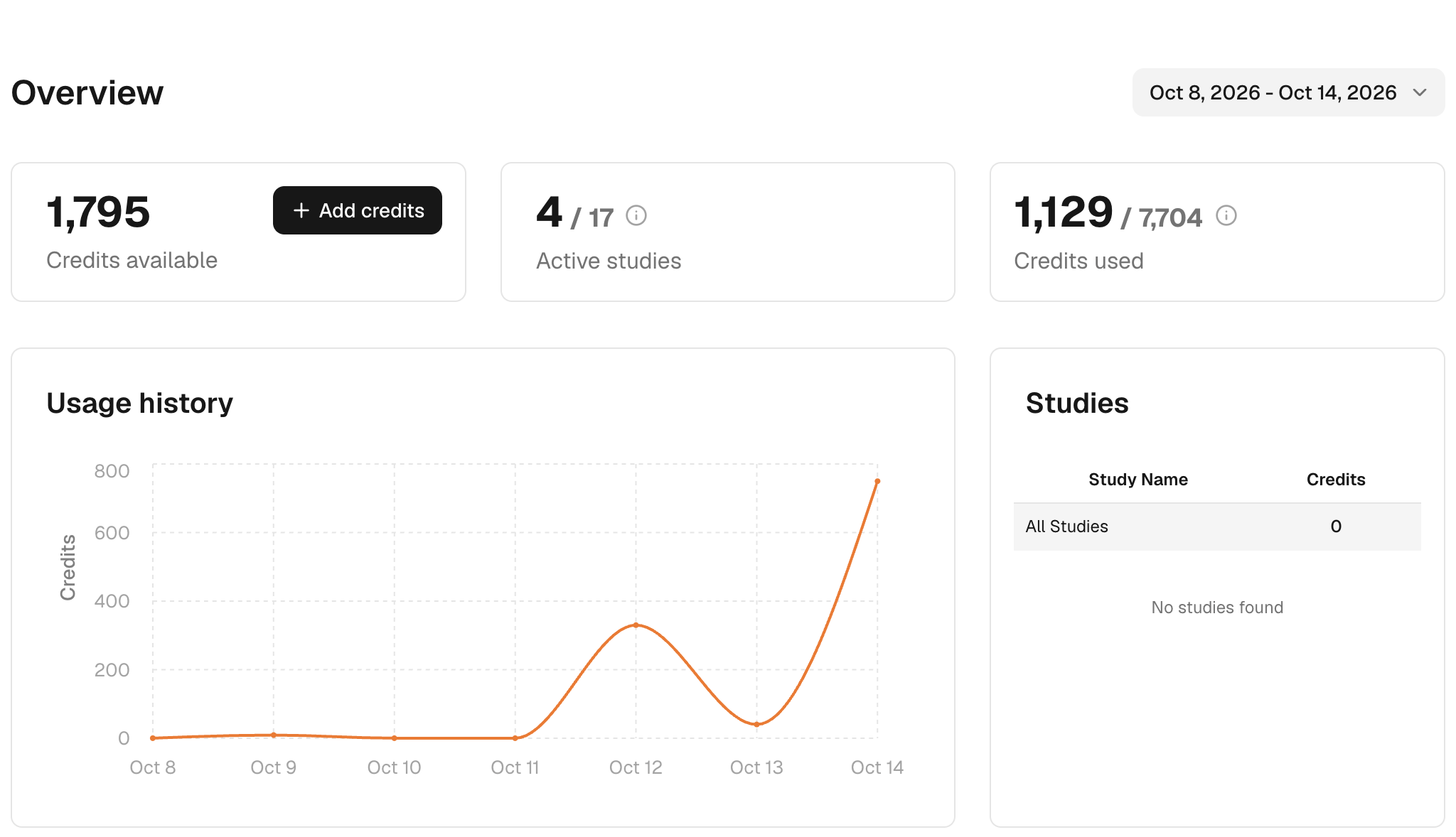
- サイドバーの Usage をクリックします。
- 右上の日付範囲をクリックし、確認したい期間を選びます。
- Credits available(利用できるクレジット)、Active studies(実施中の調査)、Credits used(使用済みクレジット)の3つのカードを確認します。クレジットを買い足すには、Add credits をクリックします。
- 1日ごとの使用済みクレジットは Usage history で、調査ごとのクレジットは Studies で確認します。
- 個々の課金や返還を探すには、All Transactions までスクロールします。フィルターを使うと、特定の種類だけを表示できます。
課金の内容を調べるときは、該当するタスクと、それを実行した時刻を照らし合わせます。前後の残高を比べるだけでは判断できません。ワークスペース内のほかの作業も、同じクレジットを使っているからです。古い取引には今は使われていないカテゴリー名が表示されることがありますが、現在の料金を表しているわけではありません。
もう一度実行する前に
- Credits available がタスクの見積もりに足りているか、そのオーディエンスを使えるかを確認します。オーディエンスのアクセス権と調査のクレジットは別のものです。
- 実行が失敗した場合は、もう一度実行する前にタスクを開き、All Transactions に返還が記録されているかを確認します。
- タスクの再実行やレポートの書き直しは、新しい作業として課金されます。もう一度クリックしても、前のリクエストの続きから再開されるわけではありません。
サポートに問い合わせる
理由のわからない課金がある場合は、タスク名またはレポート名、取引の日時、金額を送ってください。エラーメッセージが表示された場合は、その内容も添えてください。API キーやデータ連携のシークレットは絶対に送らないでください。詳しくはサポートと料金とクレジットを参照してください。