

結果を分析する
Explorer で回答を選び、条件を重ねたグループを確認し、結果をクロス集計します。
Explorer(回答の分析画面)は、結果の中身を掘り下げるための分析パネルです。誰がどの回答をしたのかを確かめたり、複数の回答を1つのグループにまとめたり、そのグループを別の質問や属性で比べたりできます。
グループを選ぶ
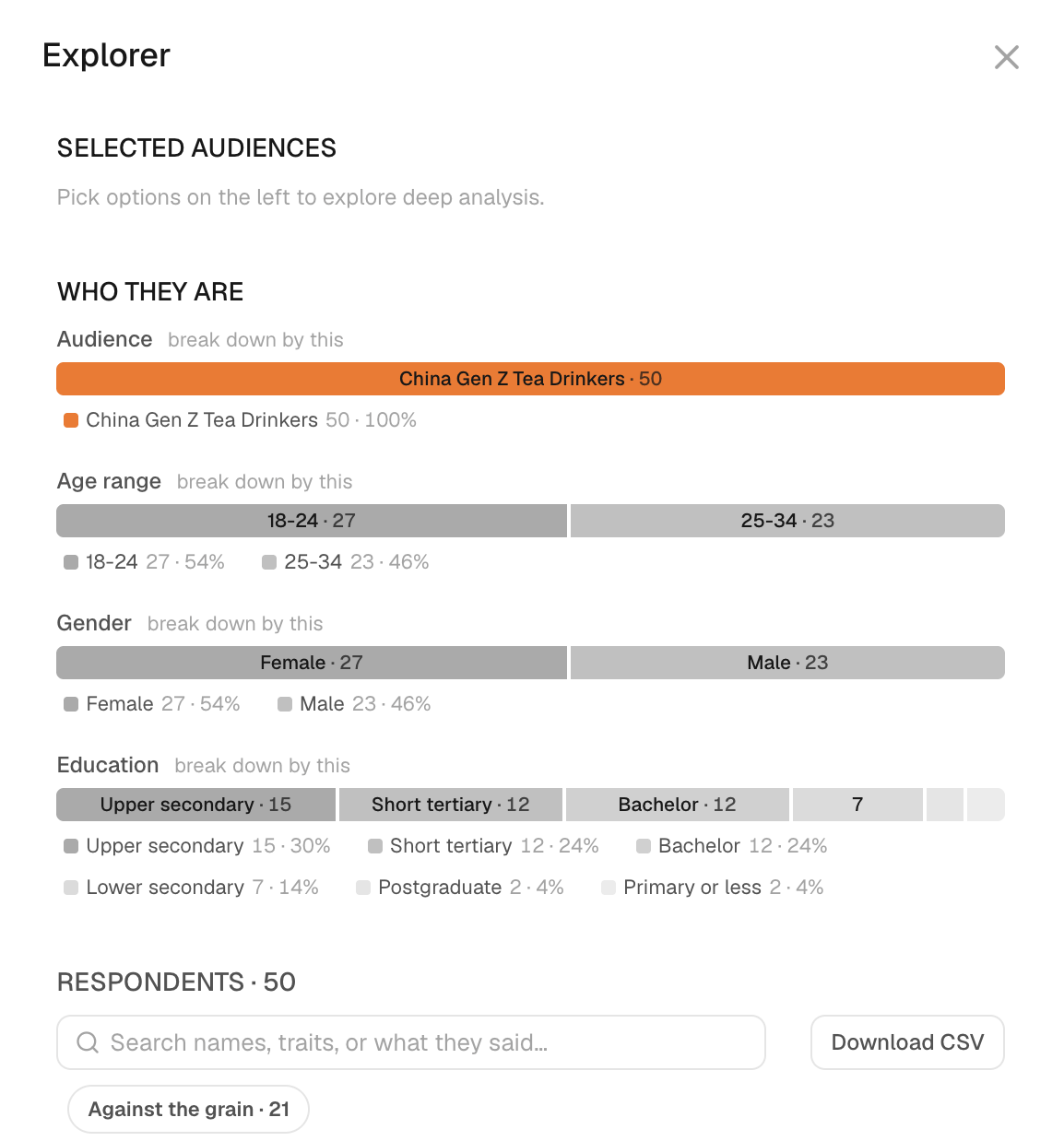
- 結果カードで、回答の棒グラフをクリックします。結果の横に Explorer が開き、Selected audiences の下に、その回答を選んだ人が表示されます。
- 同じ質問の別の回答を加えるには、その棒を ⌘ キーを押しながらクリックします。これで、どちらかの回答を選んだ人がグループに含まれます。
- パネルの下部にある回答者数を確認します。これが、いま見ているグループの人数です。
- 選び直すには、Clear をクリックします。
選択の組み合わせ方は次のとおりです。
- 同じ質問の回答どうしは OR 条件になります。いずれかを選んだ人が対象です。
- 異なる質問の回答どうしは AND 条件になります。すべての条件を満たす人が対象です。
- 属性の値を選ぶと、グループがさらに絞り込まれます。
たとえば、Q1 の「価格」OR「配送スピード」に、Q2 の「試さない」を AND で組み合わせると、両方の質問の条件を満たす人が選ばれます。2つの質問の割合を足し合わせるわけではありません。
グループをあとで使えるように残すには、Add Segment をクリックします。回答者をエクスポートするには、現在の選択内容を確認してから Download CSV をクリックします。
アンケートの結果で回答のグループを選び、別の質問でクロス集計して、回答者一人ひとりの答えを読みます。各ステップでハイライトされた箇所をクリックするか、「次へ」で進みます。
この操作ガイドの内容は、このページにも番号付きの手順として書き出しています。
結果をクロス集計する
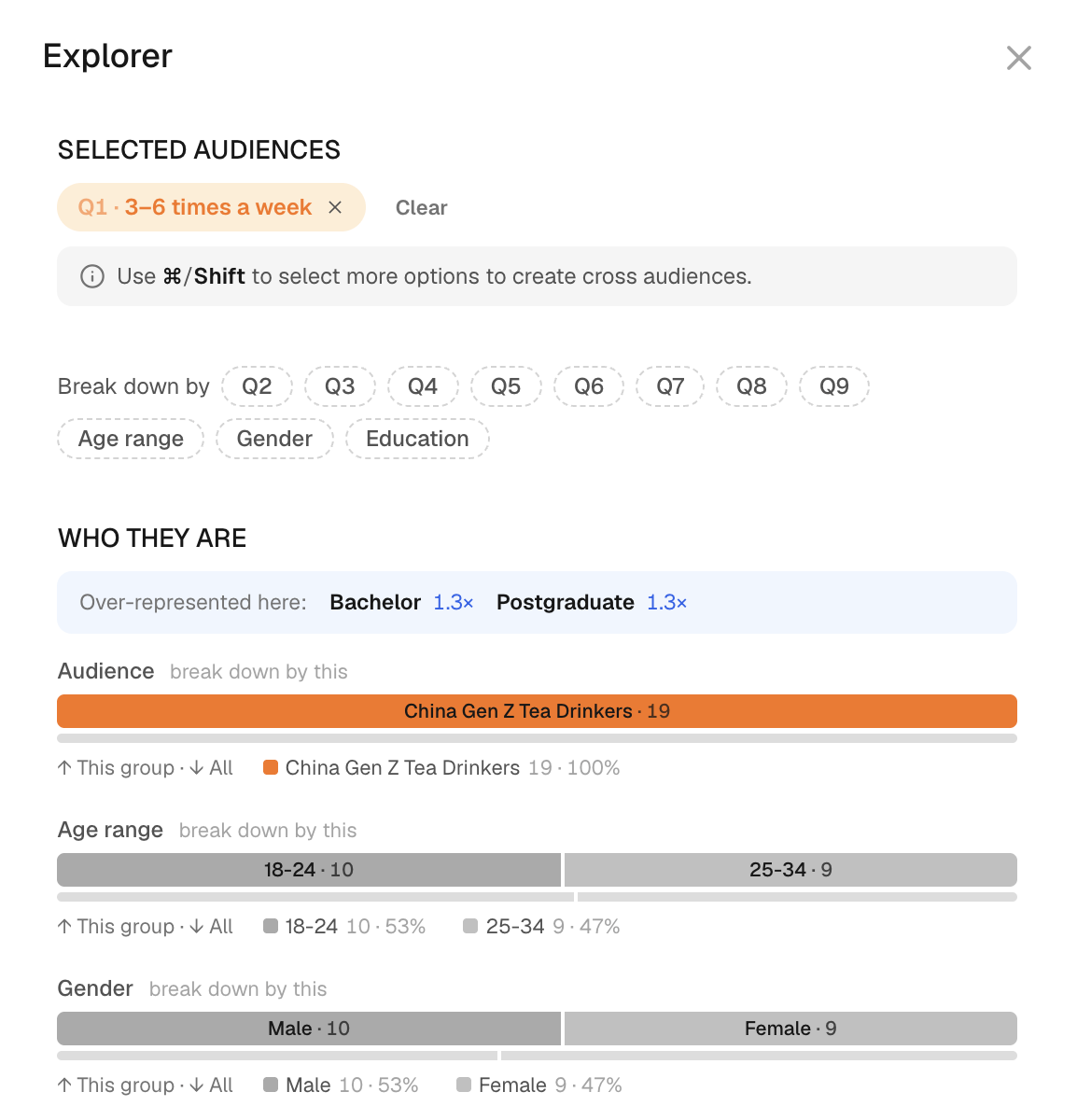
- グループを選んだ状態で、Break down by をクリックします。
- Gender などの属性か、別の質問を選びます。選んだグループの集計表が Explorer に表示されます。
- 割合を引用する前に、各列のラベルとベース(集計の母数)を確認します。
人数の少ないセルは、割合を示す根拠としては薄すぎることがあります。また、空欄や非表示の値はゼロという意味ではありません。2つの質問の関係を見るには、両方の質問に同じ人が答えている必要があります。別々に集計した合計を並べても、関係は導けません。
回答者一人ひとりの回答を読む
- 回答者の一覧でカードの Answers をクリックすると、その人の回答を読めます。
- その回答者に質問するには、カードのチャットアイコンをクリックします。詳しくは商談をロールプレイするを参照してください。
チャットでの返答は、元の実行のあとに得た新しい回答です。分析している回答とは分けて扱ってください。
AI analysis は、選んだグループについての解釈を示します。この操作には別途クレジットがかかります。詳しくは料金とクレジットを参照してください。得られる説明はあくまで解釈であり、独立した根拠にはなりません。
次に進む
実データで検証するの手順でグループを実際に観測された回答と比べるか、実行をレポートにまとめます。サブグループについての知見を共有するときは、どの選択条件で絞り込んだグループなのかを明記してください。