

オーディエンスを選ぶ
既存の母集団、公式オーディエンス、自社データから構築したセグメントの中から、調査に使うオーディエンスを選びます。
調査でどんな人の視点を再現するかは、オーディエンスで決まります。名前や規模だけで選ばず、まず定義とデータソースを確認しましょう。
オーディエンスを探す
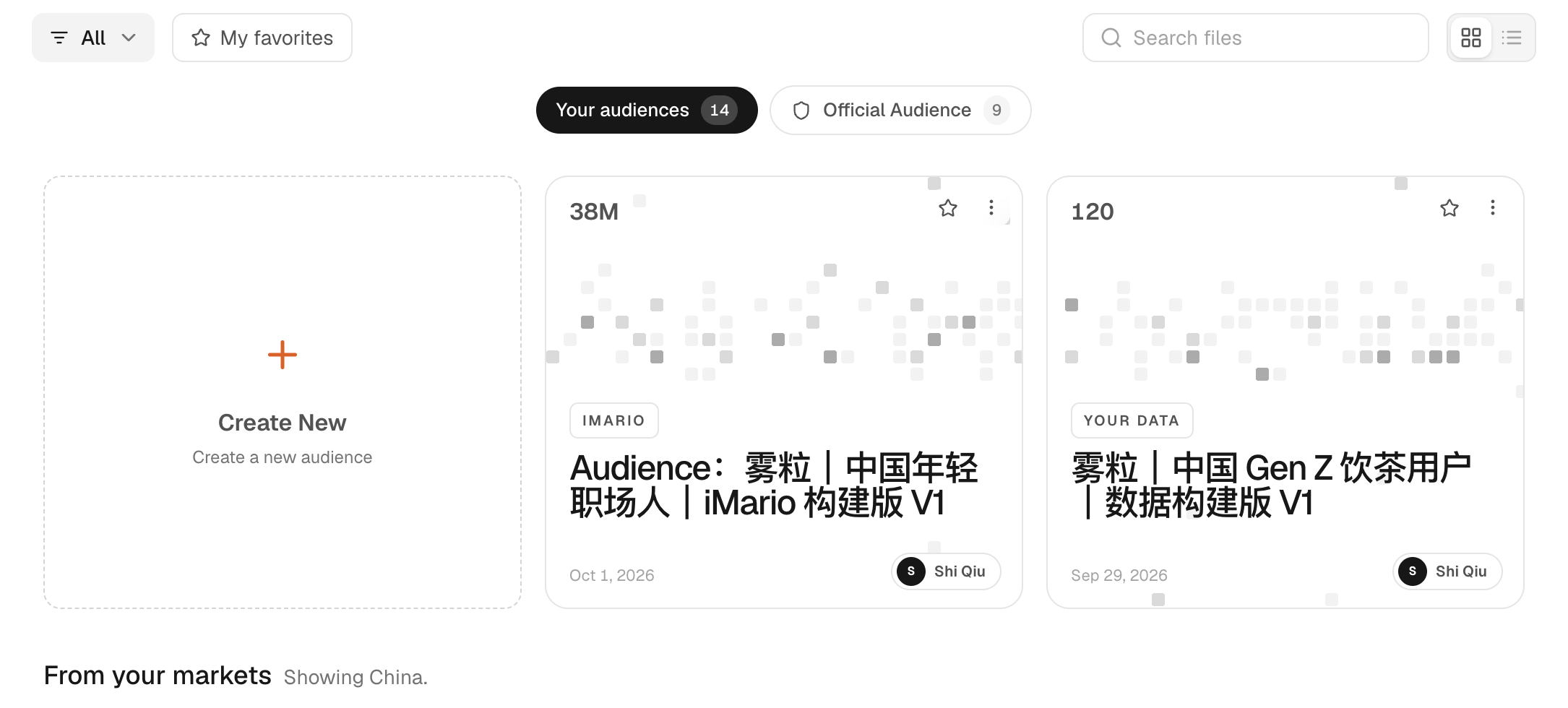
サイドバーの Audience を開きます。選べるオーディエンスは、ワークスペースのもの、マーケットのもの、公式オーディエンス、自社データから構築したもの、固定リストのものに分かれます。ただし、表示されるのは、ワークスペースに必要なアクセス権やデータ連携がそろっている種類だけです。マーケットと公式オーディエンスにはカタログへのアクセス権が、自社データから構築したものにはアップロードまたは連携したデータが、固定リストのものには元になるレコードが必要です。実際にどの種類が表示されるかは、ワークスペースのアクセス権と利用できるデータによって変わります。
オーディエンスを開くと、分布、定義、元になった資料を確認できます。実際のアンケートデータがあれば、それも表示されます。マーケット全体の母集団、特定の層に絞ったオーディエンス、顧客データセットでは、カバーしている範囲がそれぞれ違います。
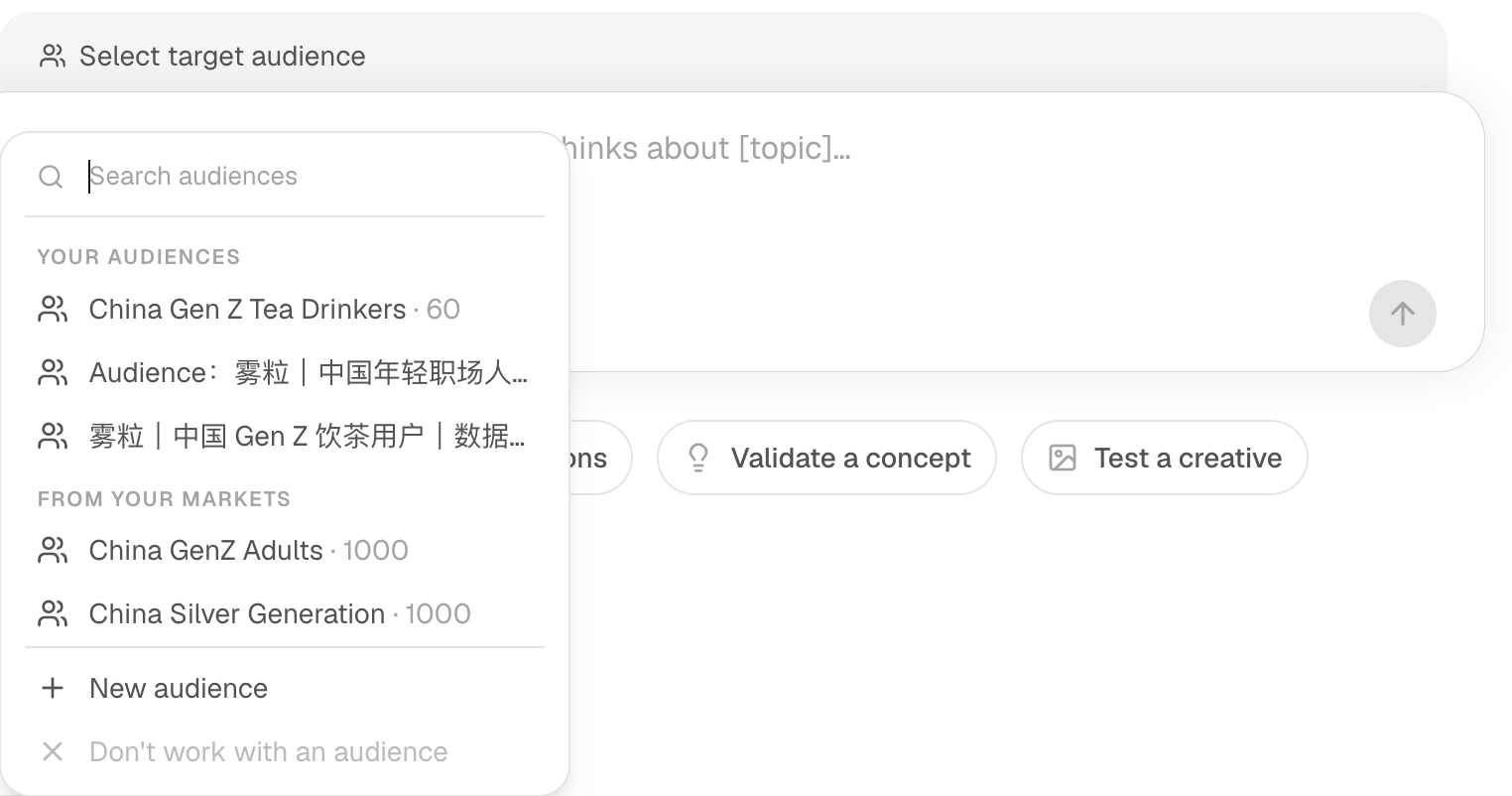
利用できるオーディエンスは、New Task の入力欄の上から直接選ぶこともできます。送信する前に、選んだオーディエンスと回答者数が意図どおりかを確認してください。
iMario の人口データからオーディエンスを作成し、新しいタスクで選んでみます。各ステップでハイライトされた箇所をクリックするか、「次へ」で進みます。
このガイドの操作は、以下にも手順として書き出しています。
オーディエンスを作成する
- Audience ページで Create New をクリックします。Create a new audience が開き、Audience Name の欄と、2つの作成元(From your data と From iMario)が表示されます。
- Audience Name をクリックして名前を入力します。欄に China Gen Z Tea Drinkers と表示されます。
- From iMario をクリックします。フォームに Describe New Segment が表示され、Create from と説明の入力欄が並びます。
- Create from のリストをクリックします。オーディエンスの作成元にできる母集団が一覧で表示されます。
- China General Adults をクリックします。リストが閉じ、「Creates a segment bounded to what China General Adults actually covers.」(China General Adults が実際にカバーしている範囲の中でセグメントを作成します)と表示されます。
- 説明の入力欄をクリックして、セグメントの説明を入力します。欄には「Adults aged 18–27 living in urban China who drink tea, milk tea or bottled sugar-free tea at least once a week.」(中国の都市部に住む18〜27歳の成人で、お茶、ミルクティー、無糖のペットボトル茶のいずれかを週1回以上飲む人)と入力されます。
- 名前、作成元、説明を確認してから、Create audience をクリックします。iMario がオーディエンスを構築し、そのページが開きます。
新しいタスクで使う
- REPRESENTED POPULATION と HOW THIS AUDIENCE IS DEFINED を読みます。スクリーニング設問は「Aged 18–27 · 53% pass (estimated)」(18〜27歳、推定通過率53%)と「Drinks tea, milk tea or bottled sugar-free tea at least once a week · 77% pass (estimated)」(お茶、ミルクティー、無糖のペットボトル茶のいずれかを週1回以上飲む、推定通過率77%)です。
- サイドバーの New Task をクリックします。新しいタスクが開き、入力欄の上に Select target audience が表示されます。
- Select target audience をクリックします。作成したオーディエンスが YOUR AUDIENCES に表示されています。
- China Gen Z Tea Drinkers · 60 をクリックします。入力欄の上に China Gen Z Tea Drinkers と表示されます。
- 回答者数とクレジットの見積もりを確認します。タスクの対象は China Gen Z Tea Drinkers、回答者数は50人に設定され、クレジットの見積もりも表示されています。
どの種類を選べばよいか
| 状況 | 参照先 |
|---|---|
| マーケット全体や、既存の母集団の中のセグメントを調べたい場合 | マーケットと公式オーディエンス |
| 顧客レコード、アンケートの回答、インタビューのデータがすでに手元にある場合 | 自社データから構築する |
| 会話やロールプレイの相手として、1人の視点が必要な場合 | 合成ペルソナ |
条件で定義したオーディエンスは、元の母集団から条件に合う人を選び出したもので、条件と元の母集団が一緒に表示されます。固定リストのオーディエンスは、提供されたレコードの人たちを表すもので、その固定リストやレコードの出どころが一緒に表示されます。2つは答えられる問いが違うので、一方をもう一方の代わりに使わないでください。
人口統計を土台にしたオーディエンスは、構成こそ現実に近くても、質問している意見そのものを直接裏づけるデータがあるとは限りません。母集団の定義と、その質問を支える根拠の両方を確認してください。
オーディエンスがロックされている、または合わないとき
アクセス権を購入する前に、提示された条件を確認してください。すでに利用できるオーディエンスを選ぶ方法もあります。アクセス料金は、調査で消費するクレジットとは別にかかります。合うオーディエンスがない場合は、適した元の母集団を選んでその中のセグメントを文章で指定するか、自社のレコードからオーディエンスを構築します。
断りなく広いオーディエンスで代用し、その結果をニッチなセグメントの結果として報告しないでください。詳しくは根拠とカバー範囲とサンプル数を決めるを参照してください。