

実行・確認・深掘り
送信前に内容を確認し、実行中の進み具合を見守り、結果の説明と新しい調査を使い分けます。
タスクの会話には、準備のやり取り、調査の実行、結果の説明、レポートが入り混じることがあります。次に何をするかを決めるときは、それぞれを区別して考えてください。
入力欄では、オーディエンスを1つ以上選べます。回答者数は、選んだオーディエンスごとに設定します。オーディエンスの切り替え機能がある画面では、@ を使います。アシスタントがタスクの下書きを作る前に、不明な点を質問してくることがあります。送信する前に、下書き、オーディエンス、見積もり、素材を確認します。
送信する前に
次の5点を確認します。
- オーディエンス:選んだグループが、調査したい人たちと合っているか。
- 素材:質問、選択肢、画像、リンクがすべてそろっているか。
- 形式:選んだ調査方法が目的に合っているか。
- 範囲:回答者数や、質問・テーマの一覧が意図どおりになっているか。
- 費用:適用される料金を把握していて、クレジットが足りているか。
「[audience]」のように角かっこで囲まれたテンプレートの文言は、実行前に書き換えてください。アップロード中のファイルがあれば、完了するまで待ちます。アンケートやインタビューの場合は、保存済みの調査票やインタビューガイドそのものを添付します。
準備ができたら Run をクリックします。オーディエンスの準備中や調査の実行中でも、タスクはいつでも開けます。
調査の実行中
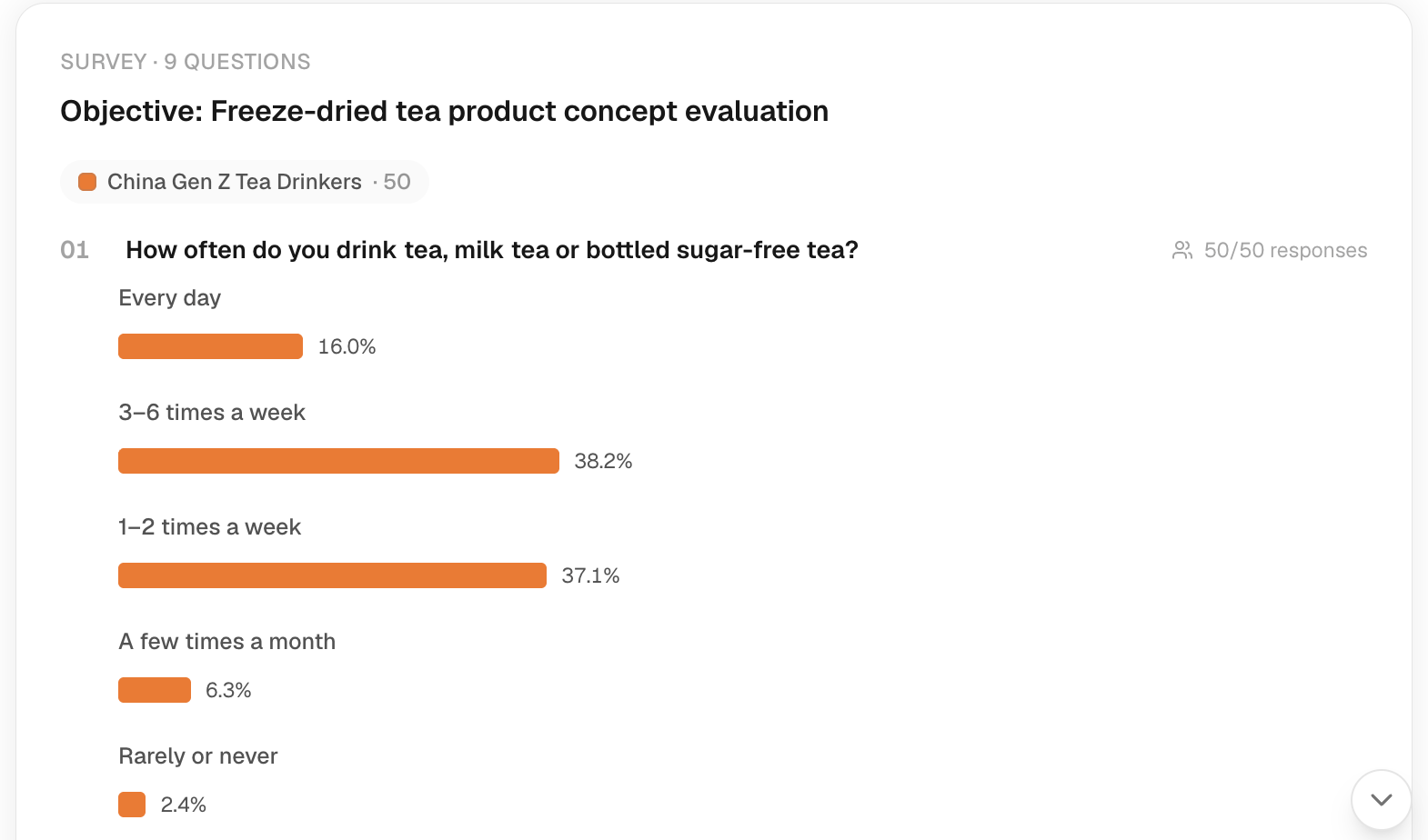
会話には進捗カードが現れ、実行が終わるとその結果が表示されます。処理はサーバー側で進み、ページの表示とは切り離されています。ページを離れても、キャンセルしたことにはなりません。タスクに戻れば、保存されている状態を確認できます。
実行が止まっているように見えるときは、もう一度送信する前に、タスクを開き直してステータスを確認してください。新たに実行すると、別途クレジットが消費されることがあります。ネットワークエラーが出たからといって、調査が始まっていないとは限りません。失敗したときの対処と復旧の手順は、トラブルシューティングを参照してください。
2種類の追加質問
| 依頼の例 | 意味 |
|---|---|
| 「これらの回答で意見が分かれている点を説明してください」 | すでに集めた根拠データを読み解く。 |
| 「このオーディエンスに、価格がネックになって見送るかどうかを聞いてください」 | 新しい質問で、新たな調査を依頼する。 |
調査の範囲を変えるときは、対象のオーディエンスと素材をはっきり書きます。回答者を一人ずつ見る画面が開いたら、回答者のカードにあるチャットアイコン(ラベルは Chat with と回答者名)から、その人の回答に絞って追加で質問できます。ただし、このチャットでのやり取りを新たな測定結果とはみなさないでください。完了した調査については、Explorer(回答の分析画面)を開くか、レポートを依頼します。