

调研
发起问卷调研
新建或导入问卷,检查题目,再让选定的人群来作答。
要让一个界定清楚的人群回答好几道结构化的问题,就用问卷调研。问卷只需在 Library(资料库)里创建一次,以后每次运行,附到任务上就行。
开始之前
- 选好这份问卷要面向的人群,参见选择人群。
- 把问题整理成文件备好(PDF、Word、Excel、CSV 或文本文件),也可以直接在编辑器里输入。
- 运行问卷调研要消耗积分。运行前能看到预估费用,参见价格与积分。
跟着演示建问卷、跑问卷、看结果
下面的操作演示用一份真实的问卷,从资料库一直走到查看结果。每一步点击高亮的位置,或者直接点“下一步”。
上面演示里的操作,下面也按步骤写了出来。
创建问卷
- 在侧边栏点击 Library,点击 New,再点击 Survey,打开 Survey builder(问卷编辑器)。编辑器分为 AUDIENCES 和 QUESTIONS 两部分。
- 在 AUDIENCES 下点击 Select target audience,选择人群(这里选的是 China Gen Z Tea Drinkers)。选好后,AUDIENCES 里列出这个人群,并显示 1 / 3 selected。
- 在 QUESTIONS 下点击 Import,会出现一个上传区域,支持 PDF、Word、Excel、CSV 和文本文件。
- 点击上传区域,选择你的问卷文件,题目就导入到了列表里,示例中是 Q1 到 Q9。
- 逐题打开,检查题型和选项。允许受访者选多个答案的题(比如 Q8)设为 Multi select,然后点击 Finish。问卷会存进资料库,显示为一张 Survey · 9 卡片。
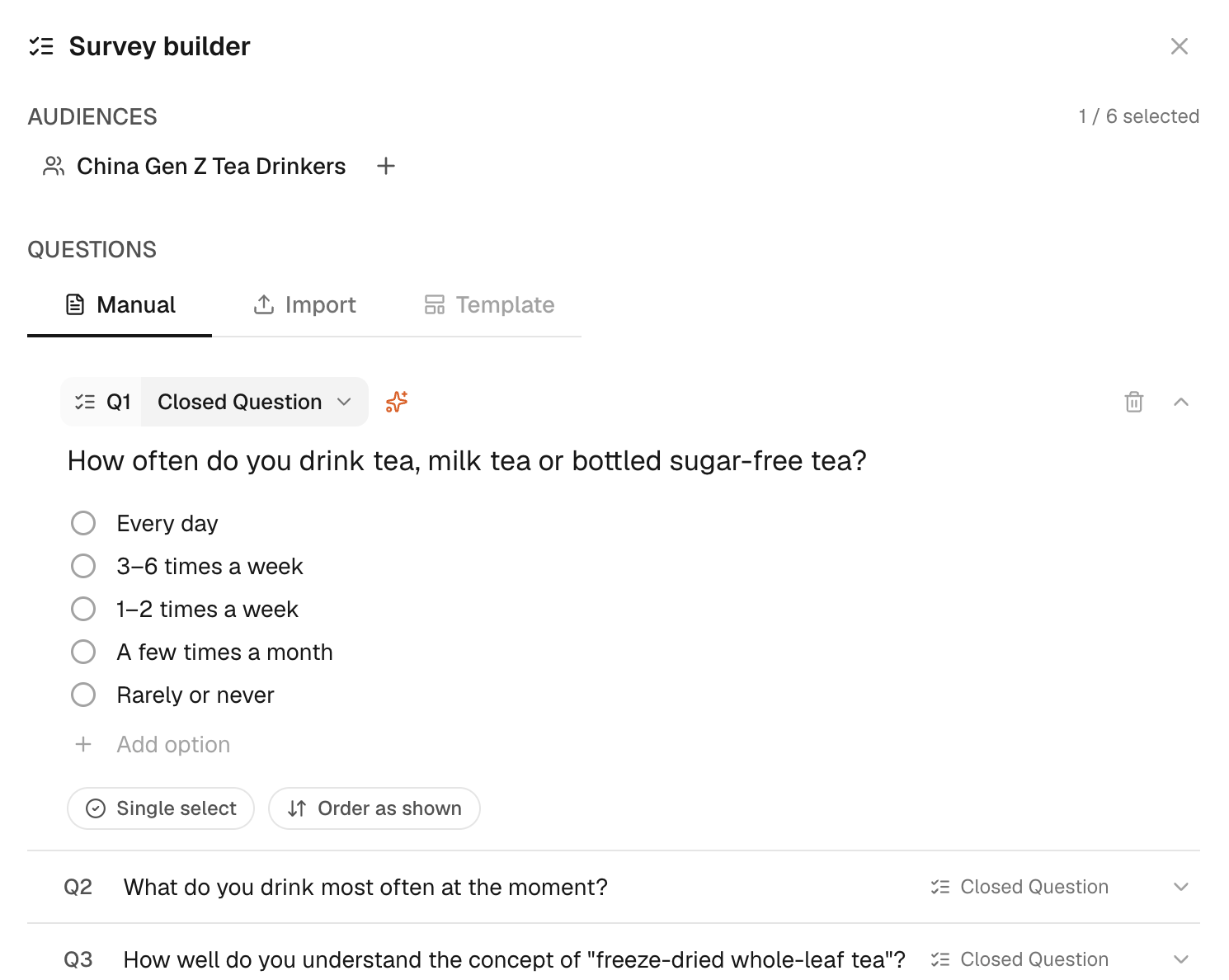
确认这份问卷就是你要运行的版本。也可以在 Manual 下手动输入题目,或者在问卷编辑器里创建和修改题目。如果一份长问卷的几个部分分别对应不同的决策,就把它拆开,这样每次调研的范围和费用都更清楚。
附上问卷并运行
- 在侧边栏点击 New Task,打开新任务,可以看到输入框。
- 在输入框里点击 +(Add content),弹出调研方法列表。
- 点击 Survey(“Several structured questions”,几道结构化问题)。输入框里出现一段问卷调研目标,下方是 Attach a survey。
- 在 Attach a survey 下点击你的问卷,例如“Freeze-dried tea product concept evaluation”(冻干茶产品概念评估)。问卷附上后,人群标签换成这份问卷设定的人群。
- 把调研目标里的占位文字换成你的人群和主题,然后点击受访人数(400 respondents),弹出填写受访人数的输入框。
- 输入受访人数(这里填 50)。受访人数和积分预估随之更新。
- 核对受访人数和积分预估,然后点击 Run(箭头按钮)。任务开始运行,问卷卡片上会显示调研目标、人群和进度。
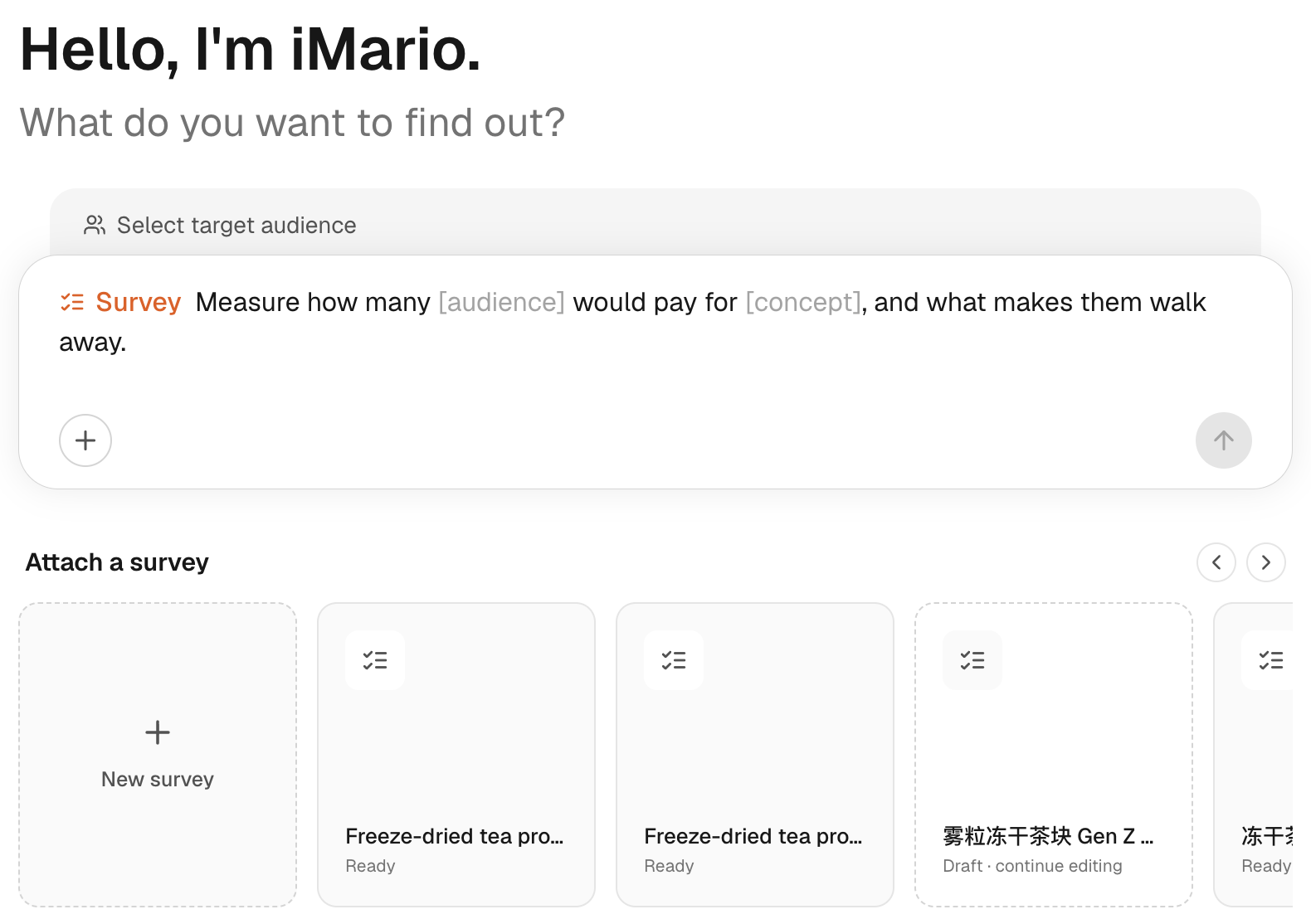
调研目标写的是你想了解什么;附上的问卷,才是受访者实际要回答的题目。
查看结果
- 在问卷卡片上看进度。运行完成后,结果出现在同一个对话里。
- 查看每道封闭题。条形显示的是选了每个选项的受访者占比。以 Q1 为例:3–6 times a week(每周 3–6 次)38.2%,1–2 times a week(每周 1–2 次)37.1%。
- 查看每道多选题。受访者可以选不止一个选项,所以各项占比加起来可能超过 100%。比如 Q8 里,Too expensive(太贵)占 66.5%。
- 查看开放题。回答会归纳成几个 WHY 主题,每个主题都标出提到它的受访者占比。Q9 的 Fresh Taste / High Brew Fidelity(口感新鲜、接近现泡)主题占 71%。
想看哪些人选了某个答案,点击结果里这个答案的条形,打开 Explorer(结果探索),在里面比较不同的群体。跨题总结规律之前,先看看几道题之间有哪些受访者是重叠的。
费用与下一步
预估费用取决于题型、选项、排序题的排序项和受访人数。运行问卷前,先看一下价格与积分和页面上显示的预估费用。
单选题和开放题按受访者计费,开放题的单价更高。多选题按选项计费,排序题按排序项计费。当前费率和计算示例,参见价格与积分。
附上的如果不是问卷,比如一篇新闻稿或一份产品介绍,iMario 会说明这份资料看起来像什么、适合做哪种任务;只有你确认了,才会照原样运行。附上问卷,就按问卷调研运行;附上访谈提纲,就按深度访谈运行。