Use the Library
Create and reuse surveys, discussion guides, images, documents and reports.
此页译文尚未提供,当前显示英文原文。
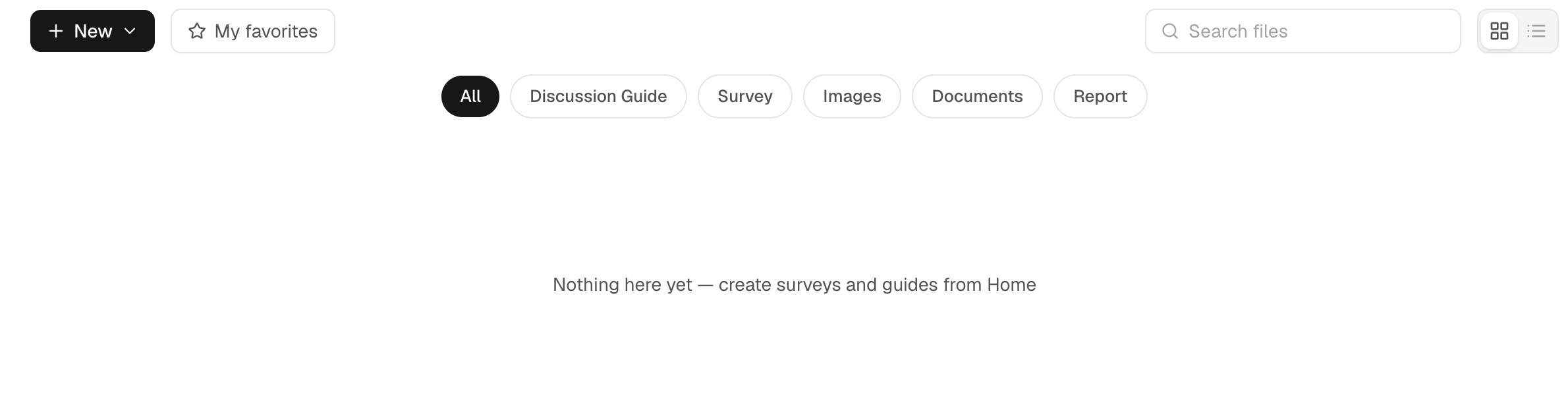
Open Library in the workspace sidebar to return to research material. Its tabs include All, Discussion Guide, Survey, Images, Documents and Report.
Create a survey or guide
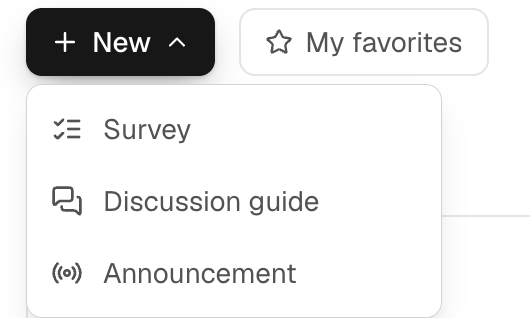
Use the new-item action to create a survey or discussion guide. The same builder is also available from New Task. Enter questions manually or import a supported questionnaire document, then review the parsed questions and save.
For surveys, check answer types and options. For guides, check sections and probes. A saved asset is the instrument you can attach to a future task; the task's goal sentence does not replace it.
Find and reuse material

Use the type tabs and search to find an item. Open a survey or guide to edit it. Images can be previewed, while document viewing depends on the file type. Reports open their report view rather than the questionnaire editor.
From New Task, choose a survey or guide from Library, or select an existing image where the image picker offers Library. Confirm the attached version before submitting.
A document you attach in a conversation, such as a product concept or a spec sheet, is saved to Documents automatically. To test it again, choose Concept test in the + menu and pick it from Library. Respondents are shown the document's text with whatever you ask next: a single question, a survey, an interview or a focus group.
Library
Find and reuse saved material
Filter to Survey, Discussion Guide, Images, Documents or Report.
Keep versions understandable
Use names that identify the study and material, such as “Delivery barriers — survey — September”. Editing a reusable instrument changes what you can run next; it does not retroactively change the questions or answers in completed research.
If an item is missing, check the workspace, active type tab and search filter. If a file cannot be previewed, confirm its upload completed and that the format is supported by the relevant viewer.
Library versus Knowledge Base
Library organizes task material. A Knowledge Base supplies background to connected individuals. Saving a document in Library does not connect it as knowledge to every audience or person.
Preparing an instrument is separate from executing it. Research and report generation are charged according to Pricing & credits.