

Validate with Real Data
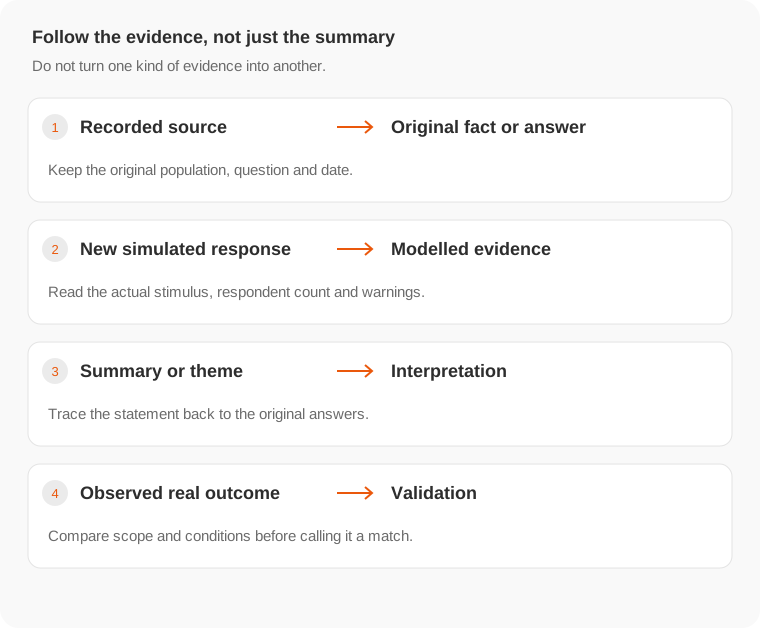
Compare synthetic findings with observed responses while keeping the question and population aligned.
此页译文尚未提供,当前显示英文原文。
Real validation checks whether a synthetic finding holds outside the simulation. Define the check before seeing the real outcome so you do not change the success criterion afterward.
Plan the comparison
- Save the synthetic question, answer options, stimulus, audience and result.
- Define the real population you can reach and how you will collect responses.
- Use comparable wording, options and material.
- Choose the metric and interpretation rule before collecting the outcome.
- Preserve disagreement and missing data as well as matches.
A before-and-after sales number is not automatically comparable: traffic mix, seasonality, price and distribution may have changed. A real A/B test with appropriate assignment addresses a different question from a survey about stated preference.
Use the validation view
Where Explorer offers validation, open it from the result you intend to compare. Review the selected scope before adding real responses or using the available collection and sharing controls. Check that columns and options align with the synthetic question.
Read the displayed real-response count and comparison. A small or mismatched real sample should not be described as confirmation of an entire population.
Decide what to change
If the comparison disagrees, inspect the audience definition, source coverage, question wording and test conditions. Do not erase the earlier result to make the record look consistent. Use the mismatch to improve the next study.
The retired Studio prediction ledger, automatic day-3/day-7 grading reminders and old integration catalog are not the workflow described here. See Older workflows.
For interpretation principles, read Evidence; for external distribution, read Share and export.