

Run a Conversation Test
Set up a practice conversation, make a call, and review feedback.
Use Conversation Test to practice with a simulated partner and review feedback. Rehearse a sales call, respond to a customer complaint, give feedback, or prepare for an interview or investor meeting.
Before you start
Decide what you want to accomplish in the conversation. You can speak or type your replies. For voice practice, allow microphone access when your browser asks.
Try it: rehearse a first call
In this example, you introduce a fresh food forecasting tool to Dana Brooks, the VP of Operations at a regional grocery chain. Dana speaks and the caller types replies. Click the highlighted controls or use Next to follow along.
Set up the practice
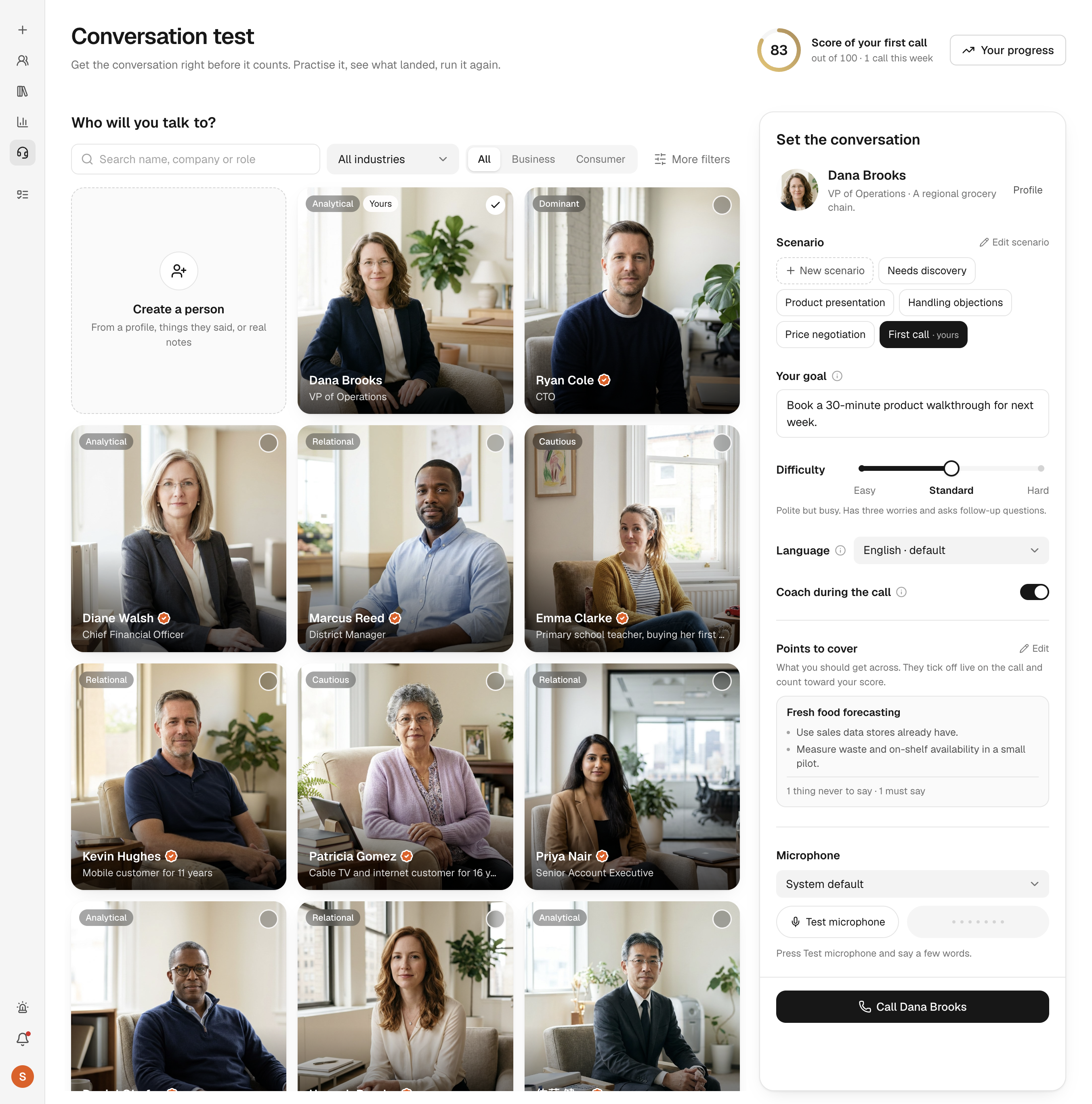
In the sidebar, click the headset icon to open Conversation test.
- Choose a practice partner. Select a person under Who will you talk to?. To recreate the example, create a custom profile for Dana Brooks, who wants to reduce waste without creating stockouts.
- Set the scenario and goal. Under Set the conversation, choose a scenario and review Your goal. For the example, click New scenario, name it First call, and set Your goal to “Book a 30-minute product walkthrough for next week.” Click Use this scenario.
- Add your talking points. Under Points to cover, click Add the points you want to get across or Edit. Enter a Topic and Key points. Use Must say and Never say to set any required or prohibited claims, then click Save. In this example, one key point is that the tool uses sales data the stores already have.
Make the call
- Start the call. Check Difficulty, Language and Coach during the call. For voice practice, select an input under Microphone and click Test microphone. Click the call button with your partner’s name. In this example, it reads Call Dana Brooks.
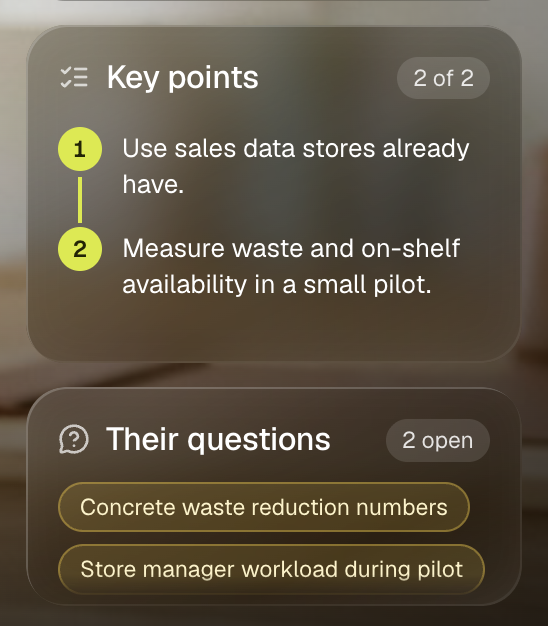
- Respond and follow the feedback. When it’s your turn, click Talk to reply by voice or type your reply and press Enter. If the text box is hidden, click Type instead. Follow the exchange in Transcript. Check Key points for what you’ve covered and Their questions for what still needs an answer.
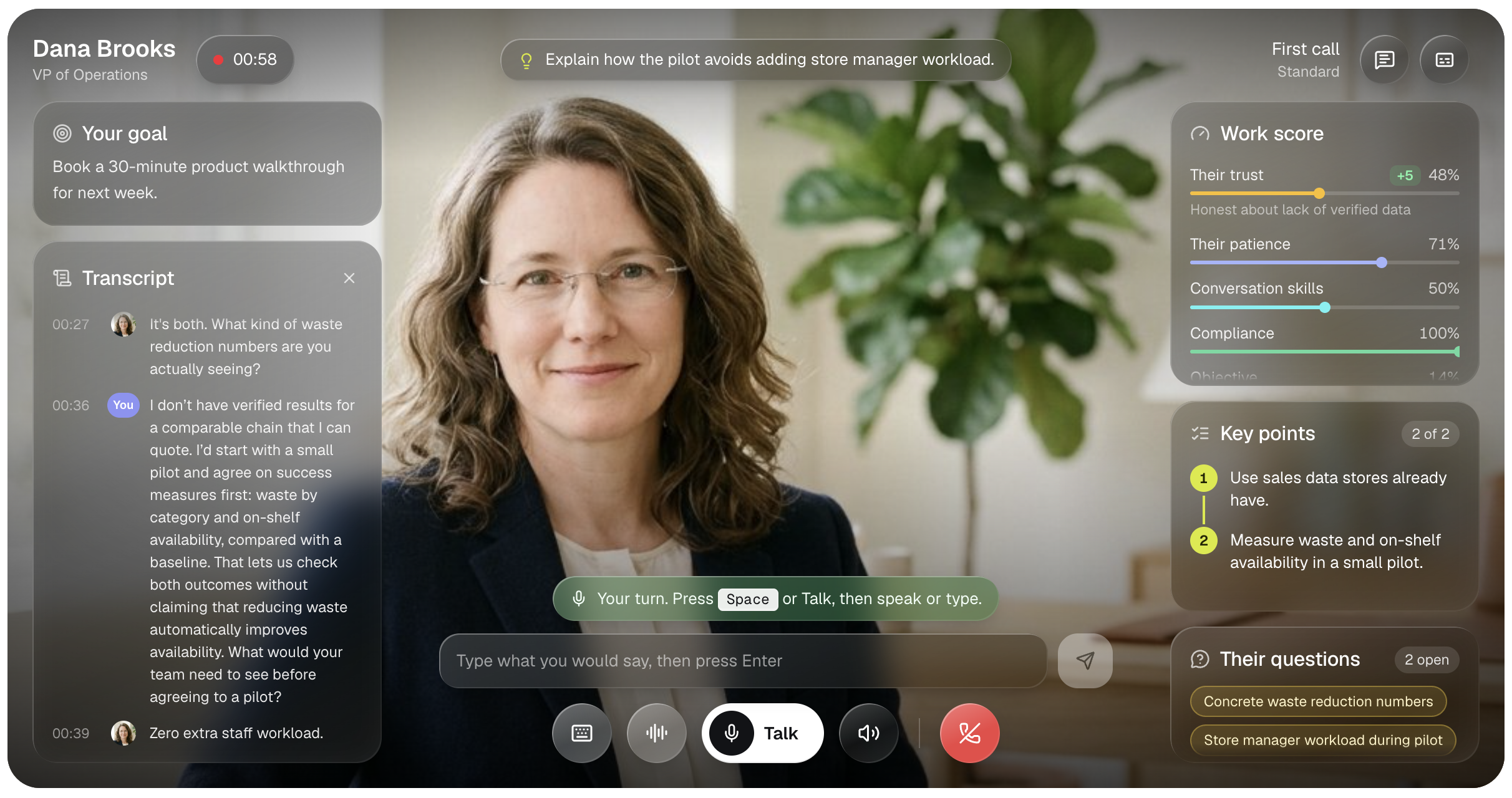
- Finish and score the call. Click End call, then End and score.
Review your feedback
In This call, review your overall score and expand Objective under Score breakdown to see how you did against Your goal. For voice replies, the breakdown also scores Delivery and Tone.
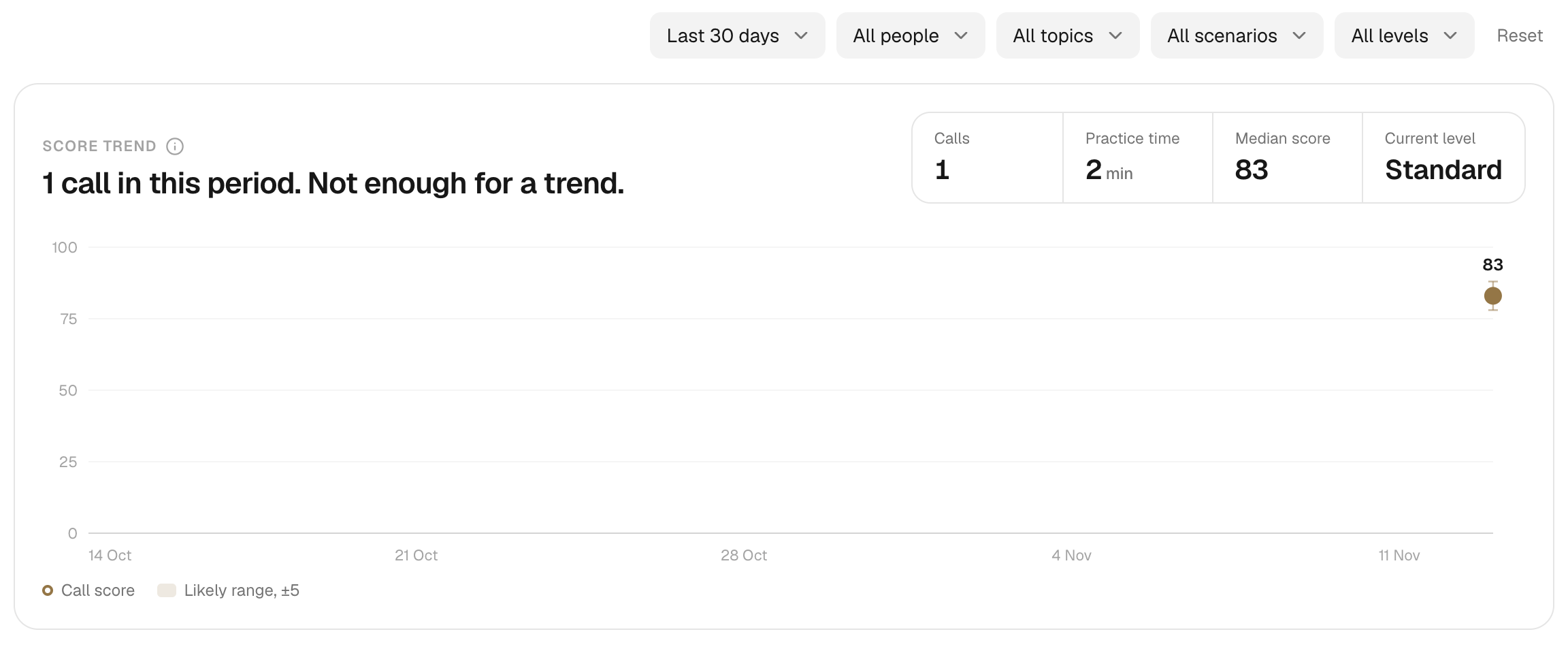
This call scored 83 overall and 51 on Objective. Dana deferred booking and asked for a one-page summary of the pilot metrics and baseline requirements.
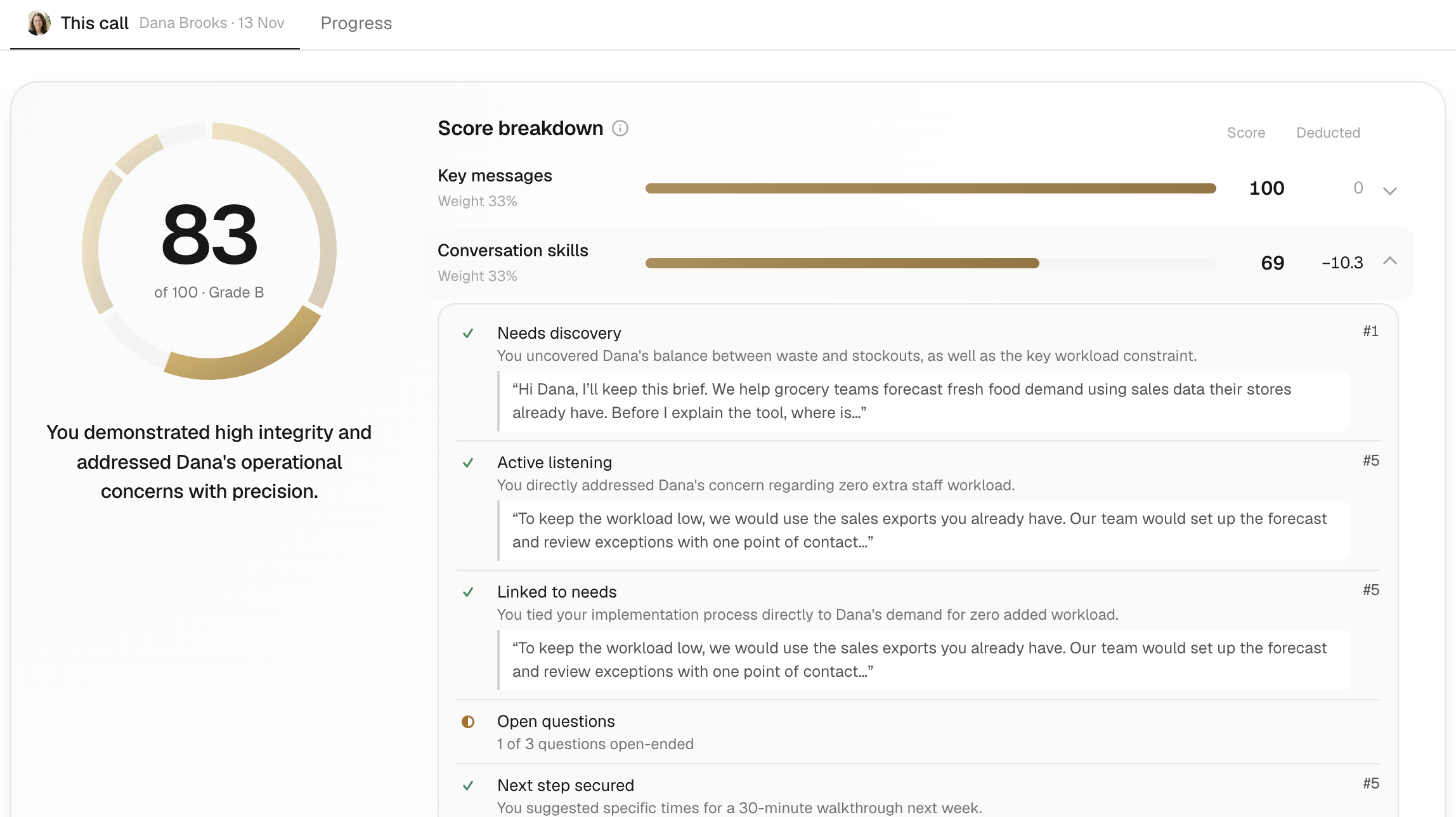
Use Coaching to pick one thing to change. Here, the feedback suggests offering to send the summary before proposing a meeting time. Click Retry to practice the scenario again, or View progress to review your call history.
Use your own material
- Under Create a person, use Details to enter the person’s name, role and concerns, or use LinkedIn or Files. Use material you have permission to share. Click Build the profile, review the draft, and click Use this person.
- Under New scenario, set Your goal, Who it is with, and How they start. For First call, choose Prospect and describe Dana taking the call between store visits. Click Use this scenario to apply it.
If you are preparing for a conversation based on a research result, read the original answer in Explorer. Use the concern you want to address as a point to cover in practice.
Try another conversation
- For an interview, practice explaining a decision you made on a project and responding to a follow-up question.
- For investor Q&A, rehearse explaining your next milestone and what funding would help you achieve.
- For customer support, practice responding to a delayed delivery and agreeing on a next step with the customer.