

Ask a Single Question
Run one focused question and decide what to investigate next.
A single question is the fastest way to explore an audience. A closed question returns the share who chose each option; an open question returns themes, each with the share of respondents whose answer mentioned it. When the question asks people to name something, such as a price or a brand, the result shows what they named at the top, grouped with the share for each, and the reasons below it.
Set it up
Before you start, choose an audience you can use. See Choose an Audience.
- In the sidebar, click New Task.
- Click Add content (+) in the composer, then click Default.
- Type the question. Give the context respondents need, without signaling which answer you prefer.
- Click Select target audience and choose the audience.
- Check the respondent count and the credit estimate shown beside Run, and change the count if needed.
- Click Run.
The task opens as a conversation. It shows the run's progress, then the result card.
For example:
What is the main reason you would avoid buying groceries through a delivery app?
To offer fixed answer options, list them in the question. For full control over question types and options, build a survey in the Questionnaire Builder.
Read the result
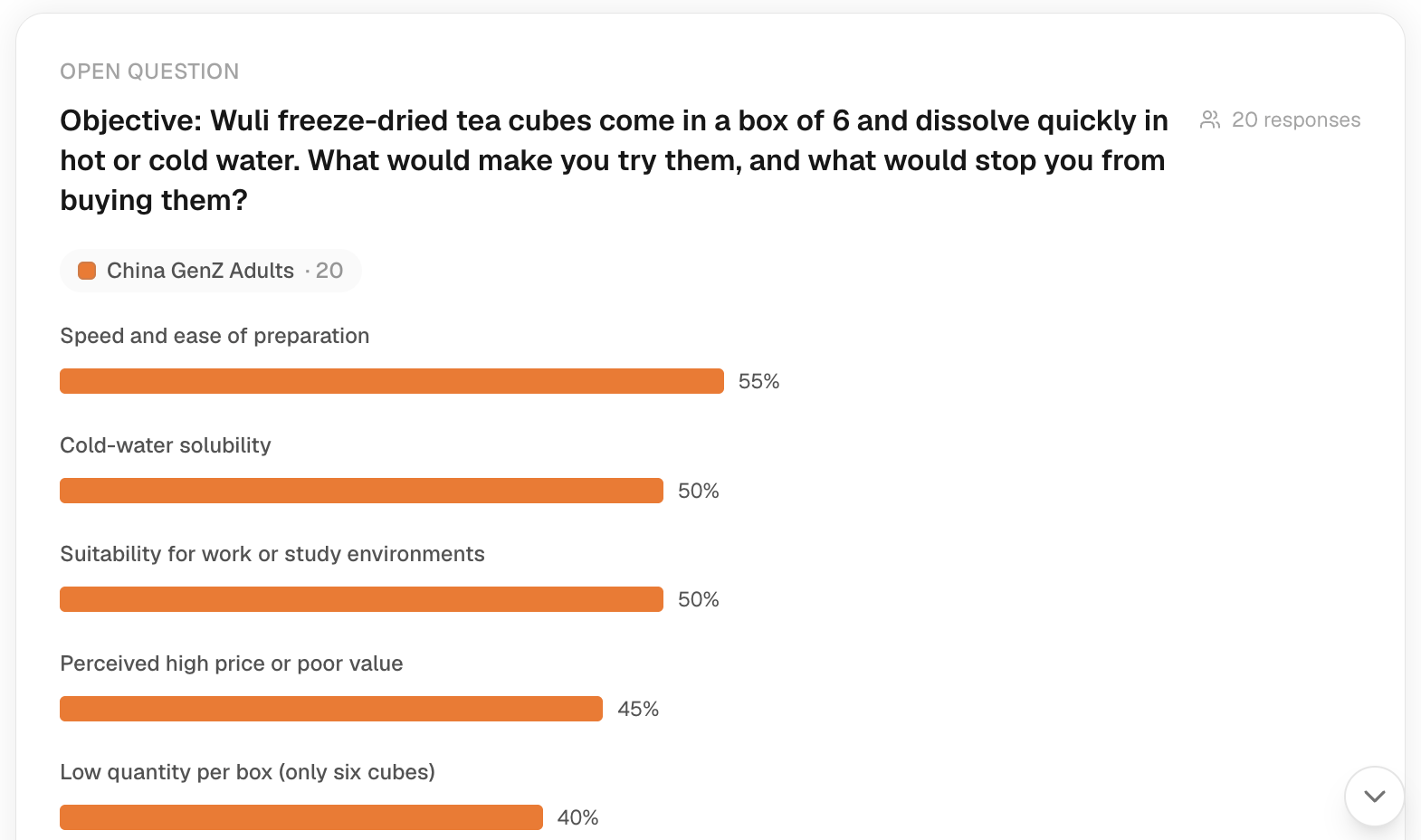
- Read the question and the audience at the top of the card, to confirm what ran.
- Read the themes. Each share is the proportion of this run's respondents whose answer was coded to that theme. To see the rest, click the Show … more themes link below the list.
- Read the Summary, then click Details to read individual answers.
- To see who gave an answer, click a theme's bar. Explorer opens with that theme selected and shows the respondents who raised it.
A theme's share describes the AI-simulated respondents in this run. It is not a measured population rate. Shares from different questions can have different bases, so don't add or compare them as if they were one figure.
Cost and next steps
The credit estimate depends on the question format and the respondent count; see Pricing & credits.
- If the result is too broad, narrow the question or the audience and run it again. A new run is new research and is charged again.
- To ask why a result came out as it did, type a follow-up in the same task.
- For several comparable questions, use a survey.