

Manage Tasks and Projects
Keep research tasks organized so teams can return to the right context and result.
Projects group related research in a workspace. Tasks keep the conversation, audience, materials and results together.
Use this page when you need to return to an existing decision, reuse a setup or keep a project tidy.
Manage a task
From the sidebar task list or project view, use the task menu to:
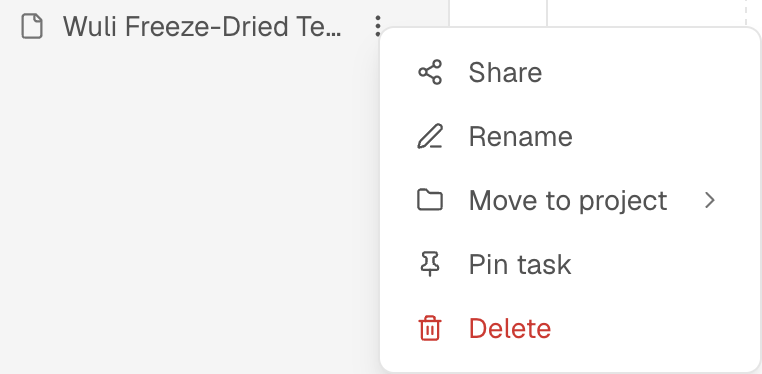
- rename a task so its decision is easy to recognize;
- move it to the project that owns the work;
- pin an important task for quick access;
- delete a task that no longer belongs in the workspace.
Before deleting or moving a task, check that the audience, materials and results are not needed by another workflow.
Find older work
Use the project and task list to search saved conversations, open a saved task and continue from its existing audience, materials and results. If an older bookmark opens a canvas or a Solo workflow, see Older Workflows and Bookmarks for the current route.
Keep task context clear
Use one task for one decision. When the question, audience or material changes substantially, start a new task so that the result and its cost remain understandable.
Cost and follow-up
Managing a task does not replace the cost of the research it contains. Opening, renaming, moving or pinning a task should be described separately from any new run, report or audience-access charge. Before rerunning, review the displayed estimate and credits. After a run, continue in the saved task for explanations, respondent chat, Explorer or a report; start a new task when the decision changes.