

Run Interviews
Explore reasoning and follow-up questions with a discussion guide.
Use interviews to understand the reasons behind answers. Each participant works through a discussion guide. In a focus group, participants instead discuss topics together.
Build the guide
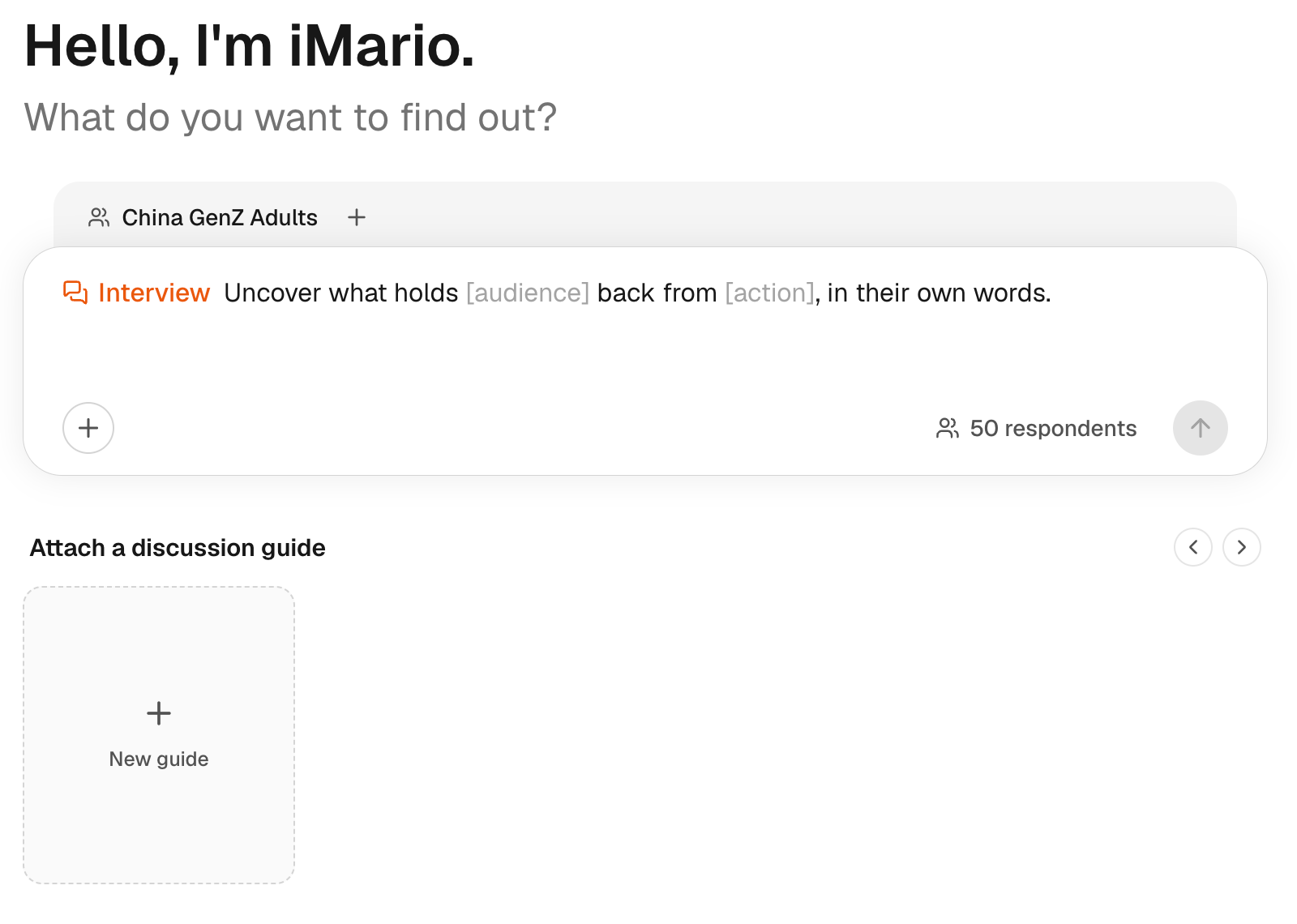
To prepare the guide, use New guide, or attach a Discussion Guide from Library. The numbered steps are below the walkthrough.
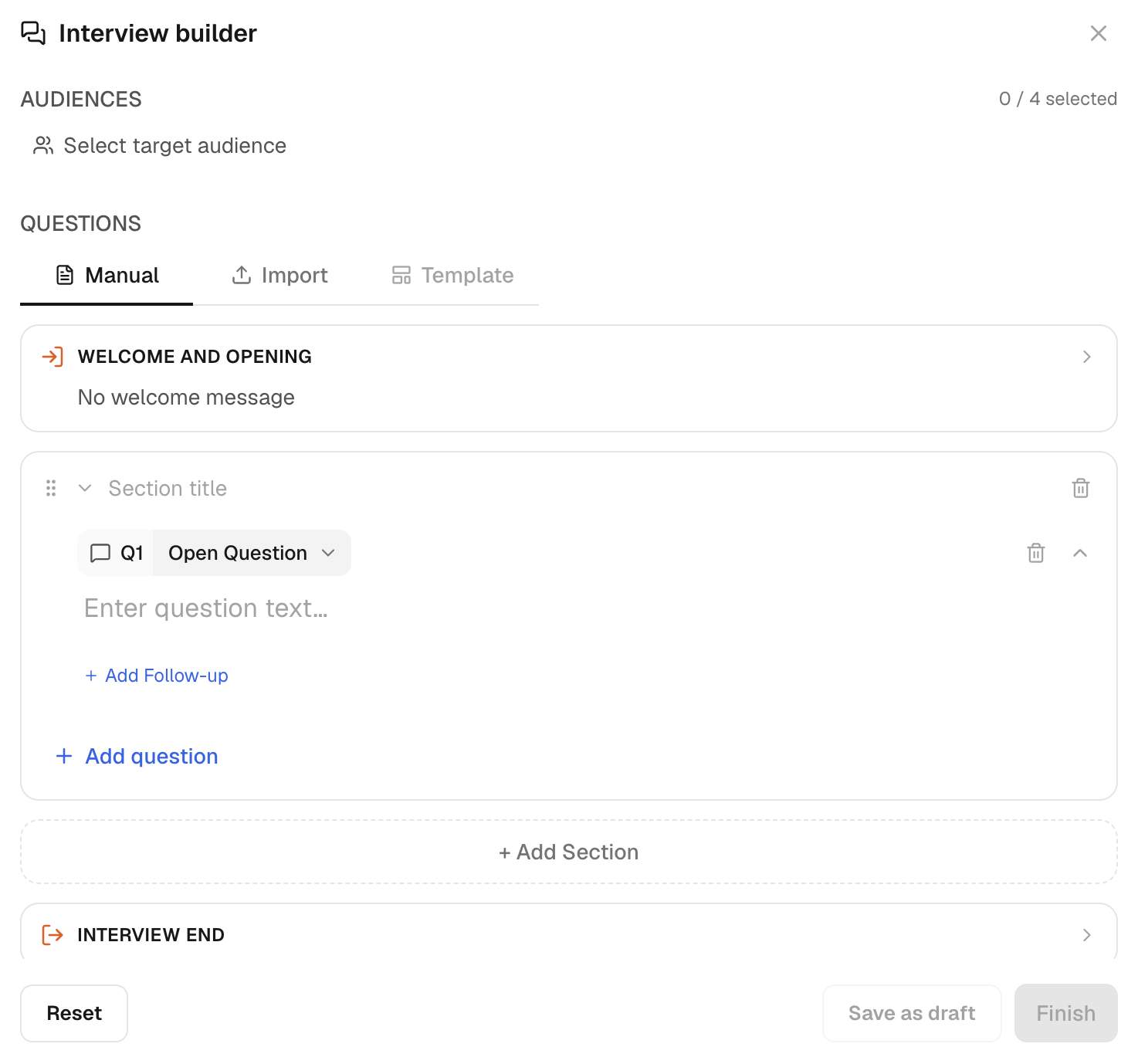
If the attached guide holds no questions a respondent could answer, such as a product description, iMario says so and suggests the task that fits better before running.
Organize questions from context to experience to evaluation:
- How do you currently decide where to buy groceries?
- What makes delivery inconvenient or unattractive?
- What would need to change before you tried it?
Review the actual questions, sections, stimuli and probes. A goal such as “understand switching barriers” is a briefing, not a finished interview script.
Check the scope
Review every question-bearing item and the overall interview length. Instruction blocks do not count as questions. Split a long guide into separate runs when it covers different research decisions.
New media stimulus uploads in the builder support images. Do not prepare a guide that depends on listening to audio or watching a video: those are not supported as new stimuli in this workflow.
A smaller panel lets you check the guide before you spend credits on a broader one.
Attach a discussion guide, choose your audience and number of respondents, run in-depth interviews and read the themes. Click the highlighted control in each step, or use Next.
The steps in this walkthrough are also written out as numbered steps on this page.
Set up and run the interviews
- Click Add content (+) in the composer. The list of methods opens.
- Click Interview — “Guided, in-depth conversation”. The composer shows the Interview goal, with Attach a discussion guide below.
- Under Attach a discussion guide, click Wuli freeze-dried tea cubes concept evaluation. The guide is attached above the goal.
- Click the goal and replace [audience] and [action]. The goal reads “Uncover what holds China Gen Z Tea Drinkers back from trying Wuli freeze-dried tea cubes, in their own words.”
- Click Select target audience. The audience list opens.
- Click China Gen Z Tea Drinkers · 404. The chip shows China Gen Z Tea Drinkers, with 50 respondents and a credit estimate.
- Click 50 respondents. The field Respondents from China Gen Z Tea Drinkers opens at 50.
- Type 20 in the field. The count reads 20 respondents and the credit estimate updates.
- Check the respondent count and credit estimate, then click Run. Run starts 20 interviews; the result shows themes for each question and a Summary.
Read the results
- Read Q1: 20/20 responses, grouped into themes with the share of respondents who raised each. High unit cost per cube and Fear of artificial peach flavor lead, at 75% each.
- Read the Summary. “China Gen Z tea drinkers hesitate to try Wuli primarily because of high unit cost and fear of artificial flavoring.”
Interpret the answers
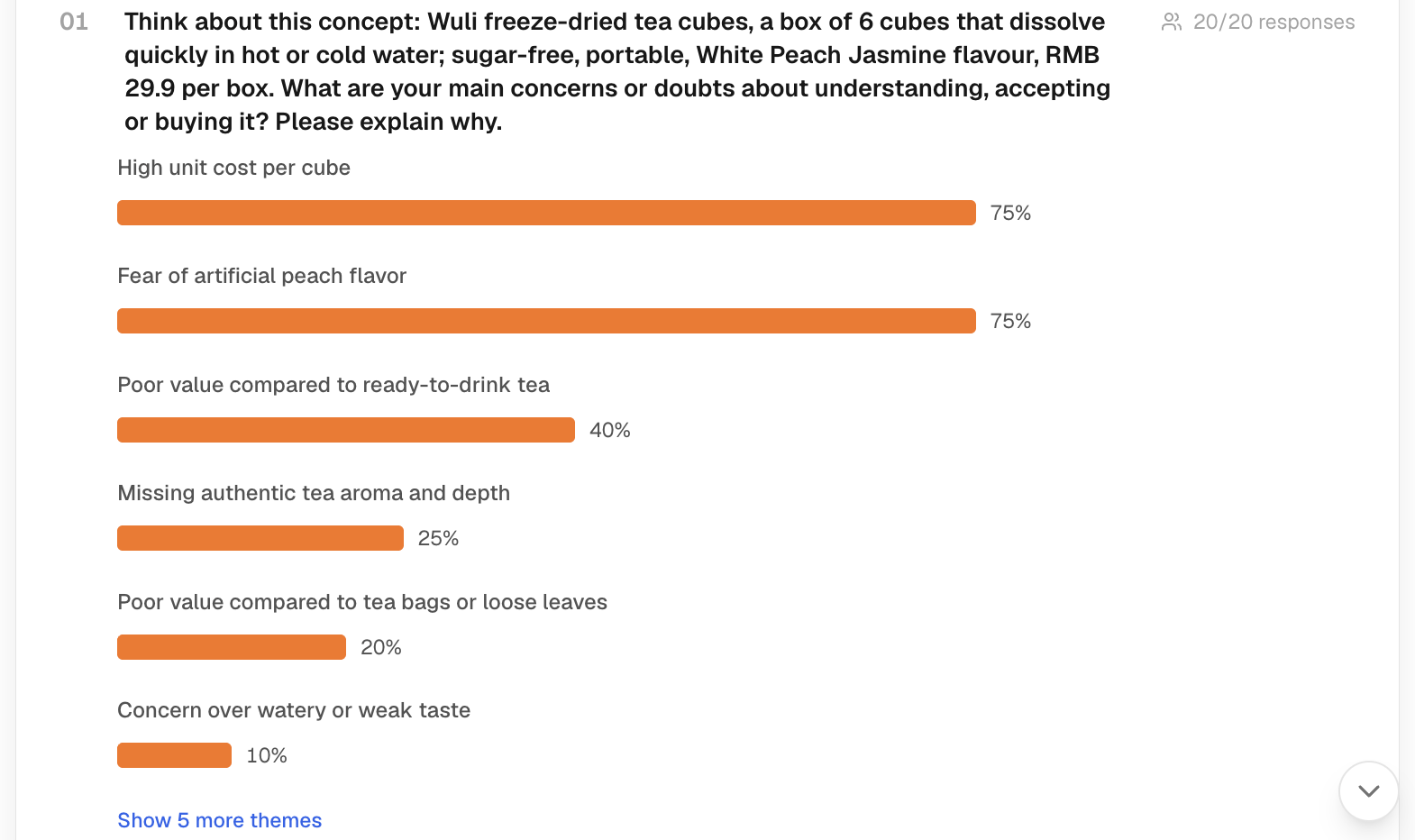
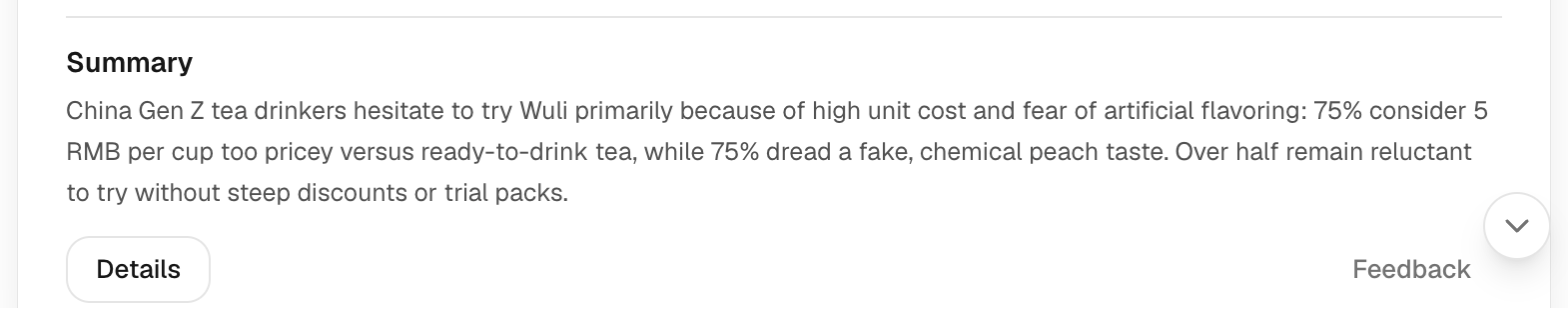
Read full answers before relying on themes. Check whether probes clarify a reason or repeat it. Use Explorer to compare patterns, then request a report if needed.
Cost and next steps
Each open question in a guide is charged per respondent, including its follow-up probes; closed and multi-select questions use their own rates. Reports are charged separately. See Pricing & credits for the rates.
If answers miss the topic, revise the guide or audience before a new run. Editing the guide does not rewrite an earlier transcript.