

What is iMario?
Choose an audience, run research, and inspect the evidence behind a decision.
iMario lets you ask questions of modelled audiences, compare alternatives, and explore the reasoning behind their responses. Start with the decision you need to make: which message to use, what customers object to, or what to investigate with real people.
Start with a task
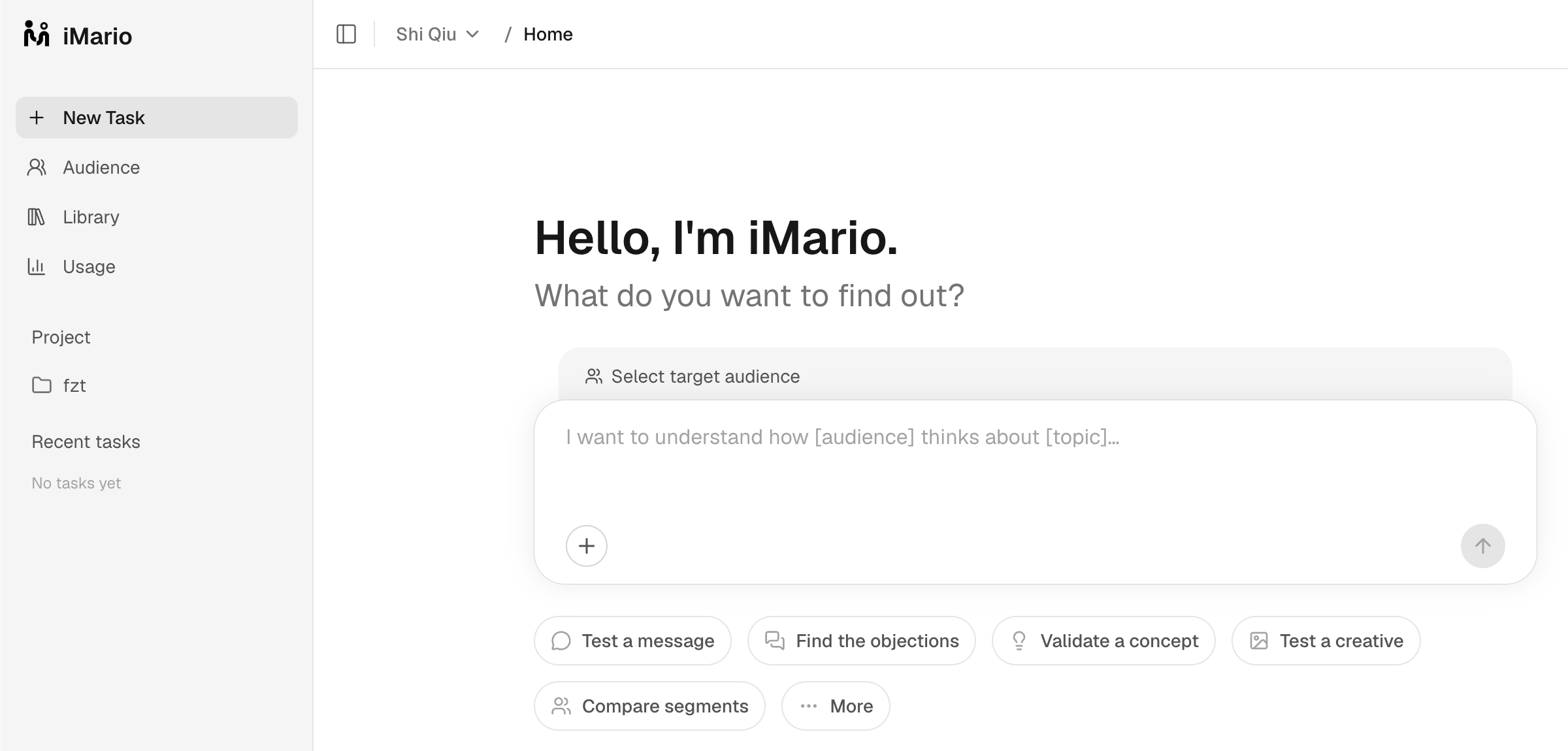
Open New Task in your workspace. Choose an audience and describe your question. The composer supports a single question, a survey, an interview, a focus group, a PR test, a preference test, a creative test, or URL feedback. Each format asks for the material it needs.
You can use an available audience immediately. A first study does not require creating new audience data.
- Choose who responds. Check the audience's definition and sources.
- Prepare the question or material. Review the questionnaire, guide, options, image, or page being tested.
- Set the size and run. Check the respondent count and credit estimate before submitting.
- Explore the result. Read distributions, themes and participant answers; compare segments and ask follow-up questions.
- Write a report when needed. A report combines a chosen scope of research and has its own charge.
Find the right guide
Reuse your work
Audience holds the people and populations you study. Library holds reusable surveys, discussion guides, images, documents and reports. Projects help organize tasks within a workspace.
Any introductory allowance is shown during account setup. Research, report generation and audience access are explained in Pricing & credits.
Synthetic results support exploration and comparison. They are not observations of people using your product and do not establish an exact future conversion rate. Use Validate with real world data to check decisions that depend on that distinction.