

Individuals from an Assessment
Understand the assessment voice interview and review the resulting individual.
Earlier workflow. For a new study, start with Your first study.
An assessment-based individual draws on information supplied in a conversation about background, reasoning and preferences. It models that information; it is not a verified copy of a person's judgment.
Start from the assessment entry
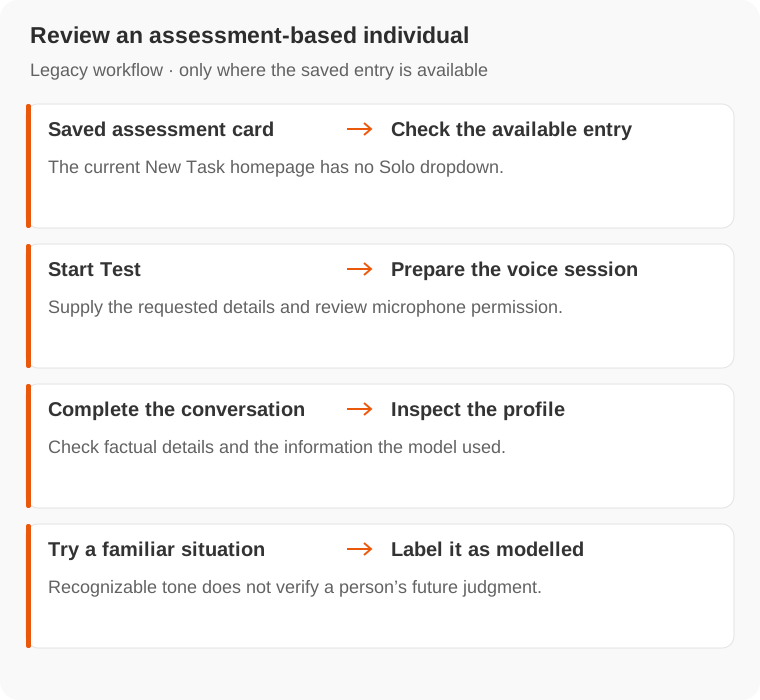
If a conversation offers a Personality Test card, choose Start Test. Supply introductory details such as name, age, country, role and industry, then prepare the voice session.
Allow microphone access. If access is denied, update the browser permission before starting. Answer in your own words and complete any continuation requested by the session.
The current New Task homepage has no Solo dropdown. If you cannot find an assessment entry, contact Support.
Check the individual
Read its profile and try a chat about a situation you know well. Correct factual mistakes where editing is available. A recognizable tone does not establish that future decisions will match the person.
Add relevant background through a Knowledge Base. There is no documented automatic merge of an assessment individual and a separate LinkedIn individual into one person.
The old creation charge is retired. Chat and research usage follow current pricing.