

Connect Zoom
Add the iMario app to Zoom, import the transcripts of the cloud recordings you pick, and remove the app and its data again. Every permission iMario asks Zoom for, and what each one is used for.
Your recorded interviews and customer calls are the most honest material you have: real people, in their own words, about your product. iMario reads the transcripts of the Zoom cloud recordings you pick and uses them as evidence for an audience, so that audience answers in the language your customers actually used.
The app is read-only. It never joins, starts, records or schedules a meeting, and it writes nothing back to Zoom.
Before you start
- A licensed Zoom account with cloud recording. Cloud recording is a paid Zoom feature. A Basic account has nothing for iMario to read, however many meetings it held.
- Audio transcript turned on in your Zoom recording settings, before the meetings were recorded. The setting is not retroactive: a recording made while it was off has no transcript, and iMario cannot create one.
- An iMario workspace, and your own Zoom user account. iMario reads the recordings that account owns, not your whole organization's.
Add the app
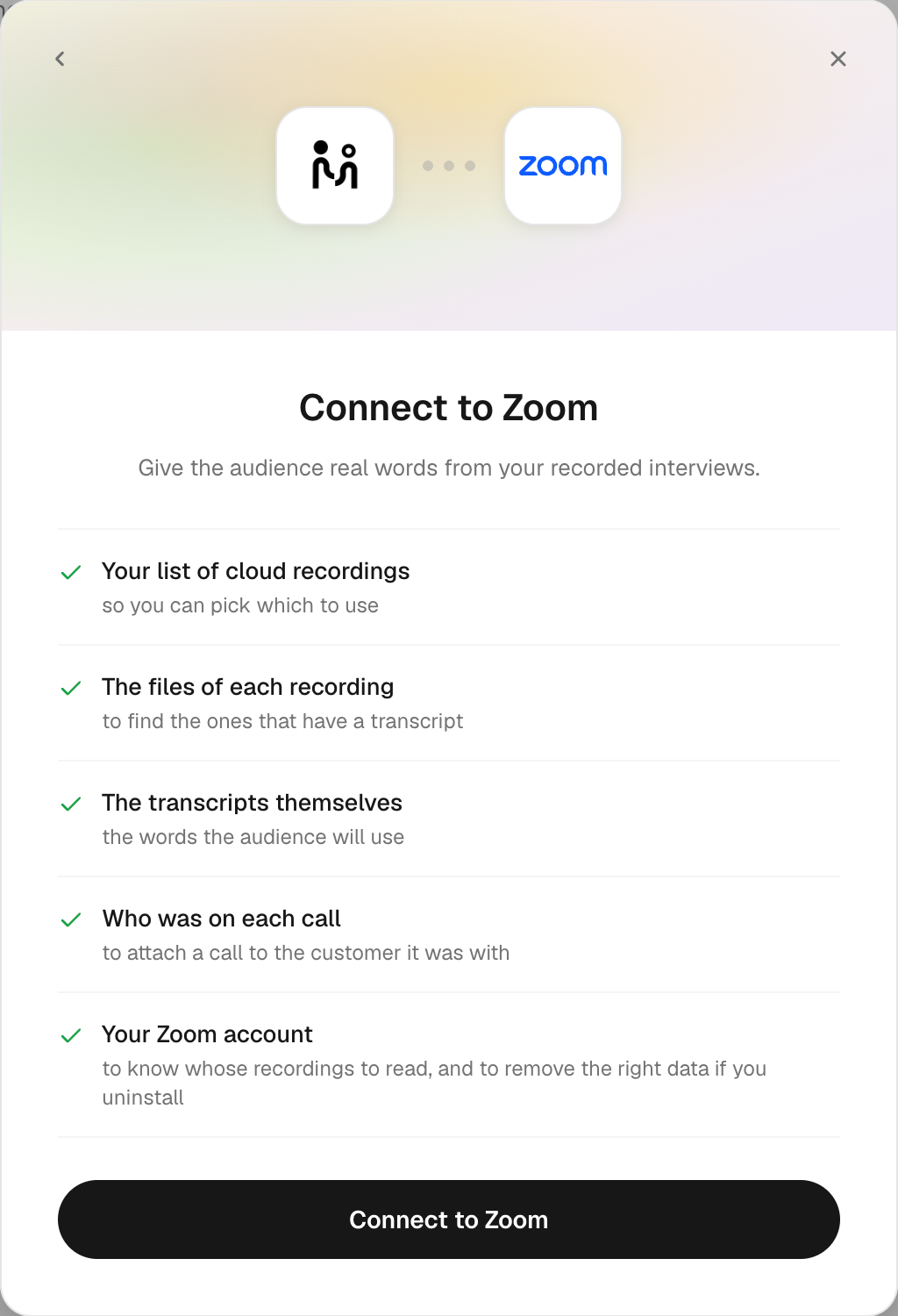
You can start from either side. Both end in the same place.
From iMario
- Sign in to iMario and open Create audience.
- Click Connect a data system and choose Zoom.
- Read the permission list. Each line says what iMario will read and why.
- Click Connect to Zoom. Zoom's own authorization window opens.
- Sign in to Zoom and click Allow.
- You are returned to iMario, and your cloud recordings from the last 12 months are listed by topic and date. Recordings that have a transcript are marked and pre-ticked; ones without are marked no transcript.
- Tick the recordings to use and click Import.
From the Zoom App Marketplace
- Open the iMario listing in the Zoom App Marketplace and click Visit Site to Install.
- You land on iMario. Sign in, or create an account: the connection belongs to an iMario workspace, so there has to be one to put it in.
- iMario opens with Zoom's permission list already showing. Continue from step 4 above.
If a step does not go as described, see Troubleshooting.
What iMario asks Zoom for
Five permissions, each used by a specific part of the import:
| Permission | What it reads | What it is for |
|---|---|---|
cloud_recording:read:list_user_recordings | The list of your cloud recordings from the last 12 months: topic, date, whether a transcript exists | Builds the list you choose from. Without it there is nothing to pick. |
cloud_recording:read:list_recording_files | The files that belong to a recording you ticked | Finds the transcript file among them, and tells you before importing when a recording has none. |
cloud_recording:read:meeting_transcript | The transcript file itself | These are the words the audience uses. This is the whole point of the connection. |
meeting:read:list_past_participants | The name and, when Zoom publishes it, the email address of who was on that call | Attaches a customer's words to that customer in your audience, and marks the host's own turns as the interviewer rather than as a customer's answers. |
user:read:user | The connected account's own email address and user id | Labels the connection so you can see which Zoom account it is, identifies the host in the transcript, and lets iMario delete the right data when Zoom tells us you removed the app. |
iMario asks for nothing else. It does not read your chat, your contacts, your calendar, your account settings, or any meeting you did not tick.
Use it
Import the transcripts of the calls you choose
Use case: you ran fifteen win/loss interviews last quarter and want the audience to argue the way those buyers argued.
Prerequisites: the recordings exist in Zoom cloud with a transcript.
Pick them from the list and click Import. Each transcript is read as passages and lands in the audience's source list, exactly as an uploaded file would. Every item is pulled once; importing the same recording twice does not store it twice.
Attach a call to the customer it was with
Use case: you want a specific account's objections to come out of that account's own individual in the audience, not out of the audience as a whole.
Prerequisites: Zoom published an email address for that participant. Zoom does this for people who registered, came from a calendar invite, or were signed in. A guest who joined from a bare link has no address to publish.
Nothing to configure. When an address is there, the customer's turns go onto that person, and questions put to them afterwards are answered from their real words. When it is not, the recording still shapes how the whole audience speaks; it is simply not put on any individual.
Bring in later recordings
Use case: you keep interviewing after the audience was built.
Connecting imports what you ticked, once. iMario does not poll your Zoom afterwards. To add recordings made since, connect Zoom again and tick the new ones.
Remove the app
Either side works, and they do different things, so most people do both.
Remove it in Zoom — Zoom App Marketplace → Manage → Added Apps → find iMario → Remove.
This revokes the token, so iMario can never read your Zoom again. Zoom also notifies iMario that you removed it, and iMario then deletes, for that Zoom account: every transcript imported through the connection, the stored credential, and every word those transcripts put onto individuals in your audiences. Deleting is not conditional on you asking again.
Remove it in iMario — open the audience, find the connected source, and remove it. Removing the last file the connection produced disconnects it, and the same deletion runs: the imported transcripts, the credential, and the rows those transcripts put onto individuals go together. If any step fails, nothing is disconnected and you are told, rather than being told your data is gone when it is not. Removing the source in iMario does not revoke the app on Zoom's side, so do that too if you want the authorization gone.
What removal does not undo. An audience that was built keeps existing, and reports you already ran keep their text: they are your work, and a report is a record of what was said when it ran. The Zoom words come off the individuals, so the audience stops answering from them. If you want the audience or the reports gone as well, delete them in iMario, or write to [email protected] and we will remove them for you.
Troubleshooting
No recordings are listed. The account has no cloud recordings with a transcript in the last 12 months. Check that your plan includes cloud recording, and that audio transcript was enabled in your Zoom recording settings before those meetings were recorded. iMario tells you when the account is on the Basic plan, which has no cloud recording at all.
A recording is listed as "no transcript". Zoom holds video and audio for it but no text file. iMario reads text and does not transcribe audio, so that recording cannot be imported.
A recording imported, but nobody in the audience is speaking with it. Zoom published no address for the participants, so the words were kept as unattributed evidence. That is expected for guests who joined from a bare link.
Authorization fails or returns an error. Try again from Create audience; the authorization link is single-use. If it keeps failing, your Zoom admin may have restricted which Marketplace apps users can add.
Still stuck. Write to [email protected] with the Zoom account address and roughly when you tried.