
Quick Test Report
Read the Quick Test Report — verdict, scorecard, deep-dives, verbatim highlights, and recommendations.
Once your task is complete, iMario generates a structured Quick Test Report. The report is designed to be scanned quickly — start at the top and drill down only where you need more detail.
Report Header
At the top of the report you'll see the date, number of AI-simulated respondents, and report type. A disclosure banner confirms that all participants are AI-generated synthetic personas — this is always included as a compliance requirement.
Test Stimulus
A side-by-side view of the content you tested. If you ran an A/B test, Post A and Post B appear here for reference before any findings are shown.
Headline & Verdict
The single most important output of the report — a one-line verdict on your content with a recommended action (Revise, Test Further, or Launch) and a confidence level. Read this first. It tells you immediately whether your content is ready or needs work before you look at anything else.
Scorecard
A radar chart and table showing how your content performed across each dimension:
- Dimension — the metric being measured (Appeal / Likeability, Comprehension / Clarity, Purchase / Action Intent, Brand Recall / Linkage)
- Scale — the measurement type (Likert 5-point or binary)
- Mean — average score across all respondents
- Top-2-Box — percentage of respondents selecting the top two options. This is the headline performance number for each dimension
- Distribution — bar chart showing how scores spread across the scale
- Insight — a written interpretation of what the scores mean for that dimension
If you ran an A/B test, a Winner Callout appears below the Scorecard showing which post won, which dimensions it won and lost on, and a significance note explaining why.
Dimension Deep-Dives
A detailed breakdown of each dimension — full distribution bars, score counts, and a written Insight for each. Go here when the Scorecard flags a weak dimension and you want to understand what's driving it.
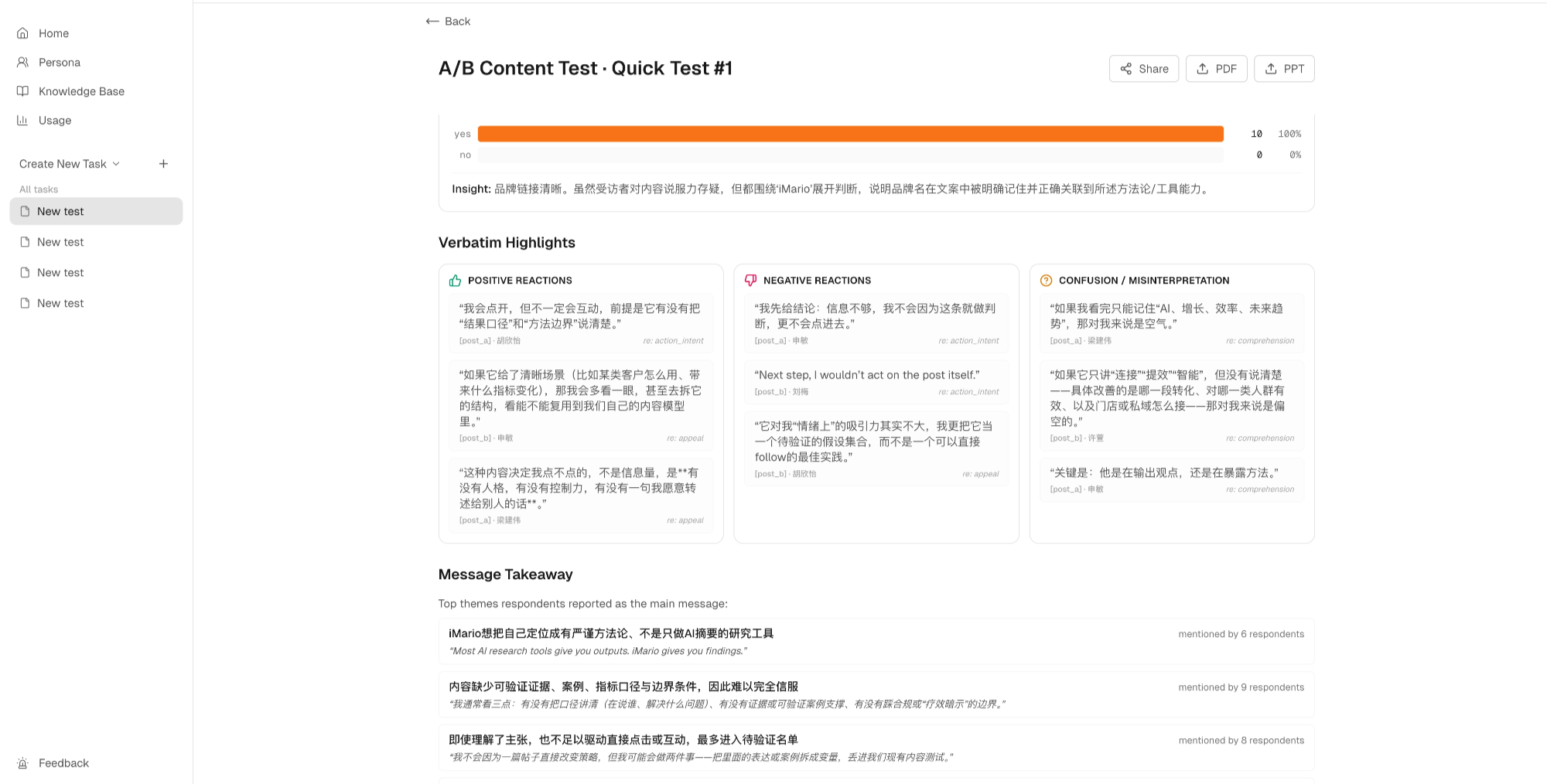
Verbatim Highlights
Quotes from individual respondents organized into three categories:
- Positive Reactions — what resonated
- Negative Reactions — what created friction or failed to motivate
- Confusion / Misinterpretation — where the message wasn't landing as intended
Each quote is tagged with the post it relates to and the dimension it's most relevant to. Read this section when you want the actual words your audience used — often the most direct input for rewriting copy.
Message Takeaway
The top themes respondents reported as their main takeaway from the content, ranked by how many respondents mentioned each one. Each theme includes a representative quote.
This is the qualitative layer underneath the Likert scores. If respondents are taking away the wrong message, it shows up here — even if the scores look acceptable.
Recommendations
Prioritized action items ranked by Impact, Confidence, and Ease, each with a score out of 15. Recommendations are labeled HIGH or MEDIUM priority.
Each recommendation includes a rationale explaining why the change matters and how to act on it. Start with the HIGH priority items — these are the changes most likely to improve performance before launch.
Methodology
Documents how the test was structured: design type, report length, and schema. Toggle the Methodology Section on in your Output settings if you need this for stakeholder credibility or external sharing.
Limitations & Caveats
What the report can and can't tell you. Read before presenting findings externally or making high-stakes decisions based solely on Quick Test results.
Share & Export
Use the top-right buttons to Share via link, export as PDF, or download as PPT for presentations.