

Credit Dashboard & Usage Analytics
Track balance, consumption, and usage trends in one place.
Track credit usage across all your tasks and simulations in one place.
What you'll see
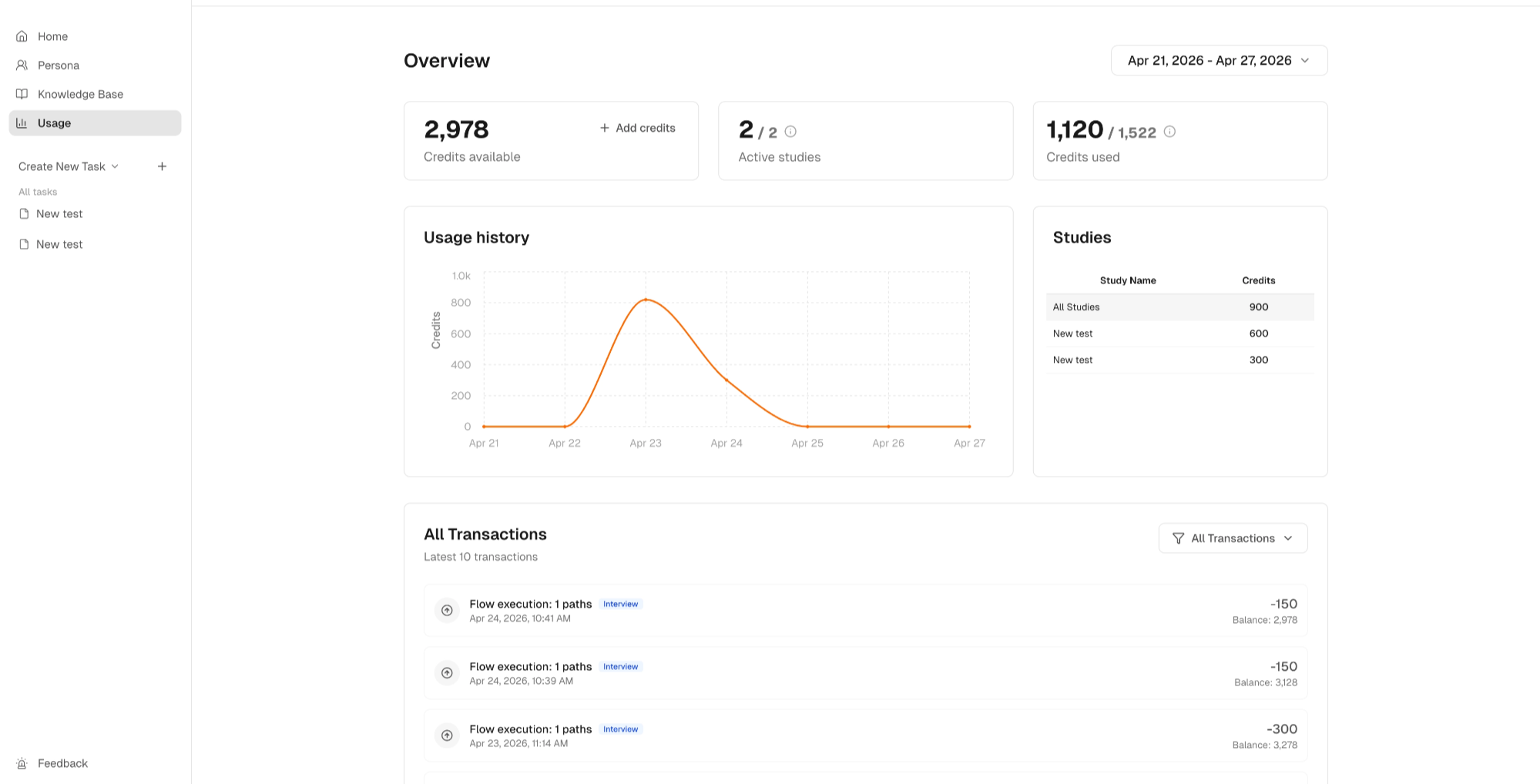
Credits Available Your remaining credit balance. Updates in real time as tasks complete.
Active Studies — # of selected period / # in lifetime
Tasks currently running in your selected time period, out of your total across all time. Use this to understand your current research activity relative to your overall usage history.
Credits Used — # of selected period / # in lifetime
Credits consumed in your selected time period, out of your total lifetime spend. Use this to track how your current billing cycle compares to your historical usage patterns.
Usage History A time-series view of credit consumption. Use this to spot spikes, understand patterns, and plan ahead.
Studies (Credits) A breakdown of credit usage by individual study. See exactly which tasks are consuming the most credits.
All Transactions (Credits) A full log of every credit event — generations, task runs, and any adjustments. Use this for auditing or detailed cost attribution.
How to use the dashboard
- Monitor in real time — check active studies and available balance before launching a large task
- Identify expensive tasks — use the Studies breakdown to see which task types or audience sizes cost the most
- Optimize your usage — spot patterns in Usage History and restructure tasks to get more out of each credit cycle Track credit usage across all your tasks and simulations.
Use the dashboard to:
- Monitor consumption in real time
- Understand usage patterns over time
- Optimize how you structure and run tasks