
Content
Define the stimulus your synthetic individuals respond to — a Discussion Guide, or a Post / Email / Ad copy.
The Content node is where you define the stimulus — what you're putting in front of your synthetic individuals and asking them to respond to.
Getting this right matters more than most people expect. Individuals respond to what you give them. Ambiguous content produces ambiguous reactions. Specific, well-framed content produces specific, useful insight.
Discussion Guide
A Discussion Guide is the right choice when your goal is understanding — not just reaction. It structures the conversation, ensures every individual addresses the same questions, and makes it possible to compare responses across your audience.
Use a structured set of questions to:
- Run interviews
- Explore behaviors and motivations
- Gather qualitative insights
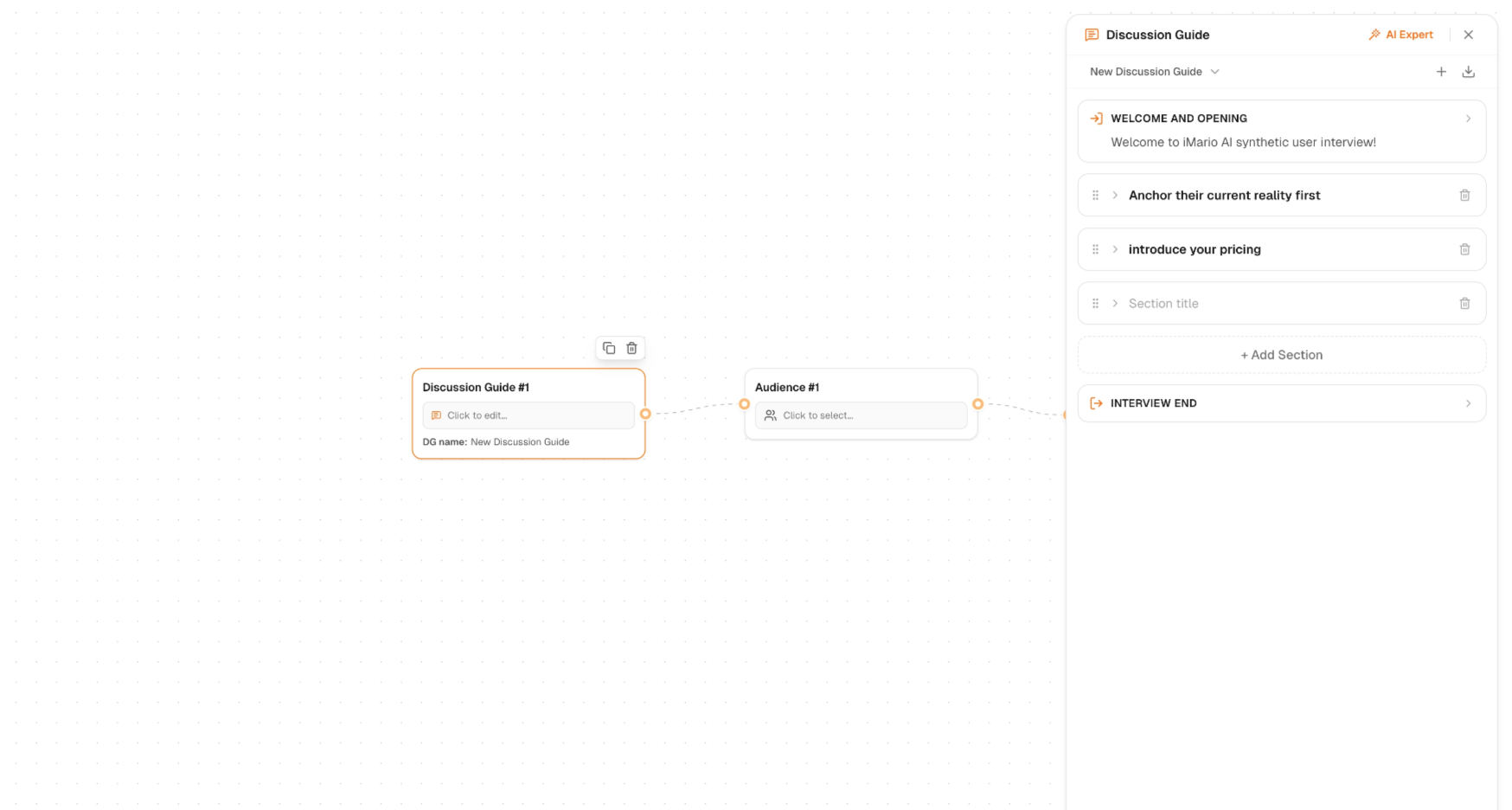
To set up your Discussion Guide:
- In the Content Node, click Discussion Guide #1 to open the editor
- Click + in the top-right corner to create a new Discussion Guide
- Add sections and questions to structure your interview flow
- Click the save icon to download the Discussion Guide for future use
Using AI Expert
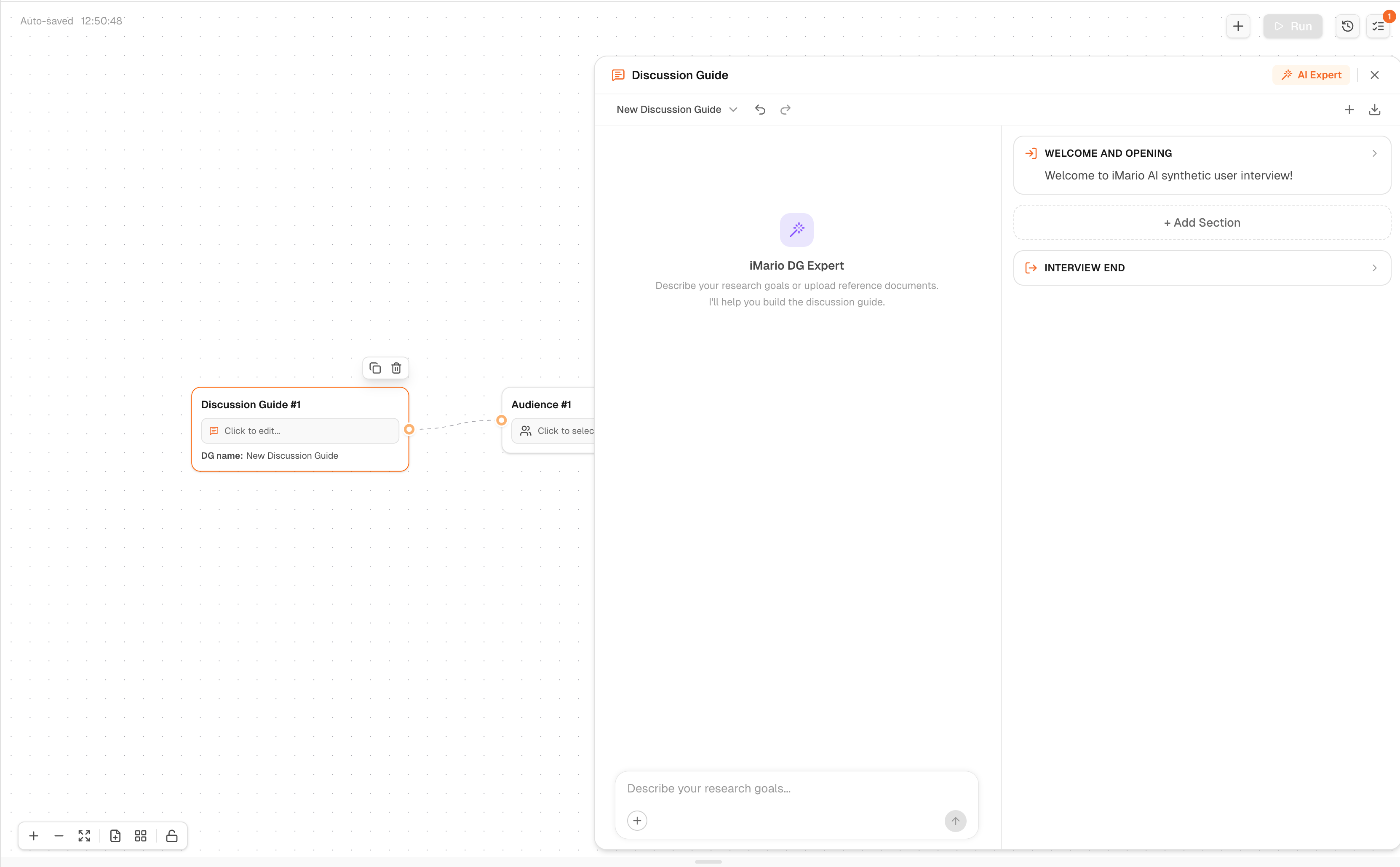
Click AI Expert in the top-right corner to get help building your guide. Describe your research goals or upload reference documents — the AI Expert will suggest questions and fill in the Discussion Guide as you clarify your objectives.
For example:
"I'm testing pricing sensitivity among SMB buyers in the US. I want to understand their current spend, decision-making process, and reaction to a $50/month price point."
The AI Expert works best when you're specific about your research goal, your audience, and what you want to learn.
Write questions the way you'd ask them in a real interview — open-ended, specific, and sequenced to build from context to opinion to implication. Avoid leading questions. The goal is to hear how your individuals think, not to confirm what you already believe.
Post, Email, Messaging, Ad Copy
When you want to test a piece of content rather than ask questions about a topic, use Post. Paste in your copy and let individuals react to it directly — the way a real reader would encounter it.
This is most useful when you want to understand comprehension and resonance — not just whether people like something, but whether they understand it, whether it feels relevant, and whether it makes them want to act.
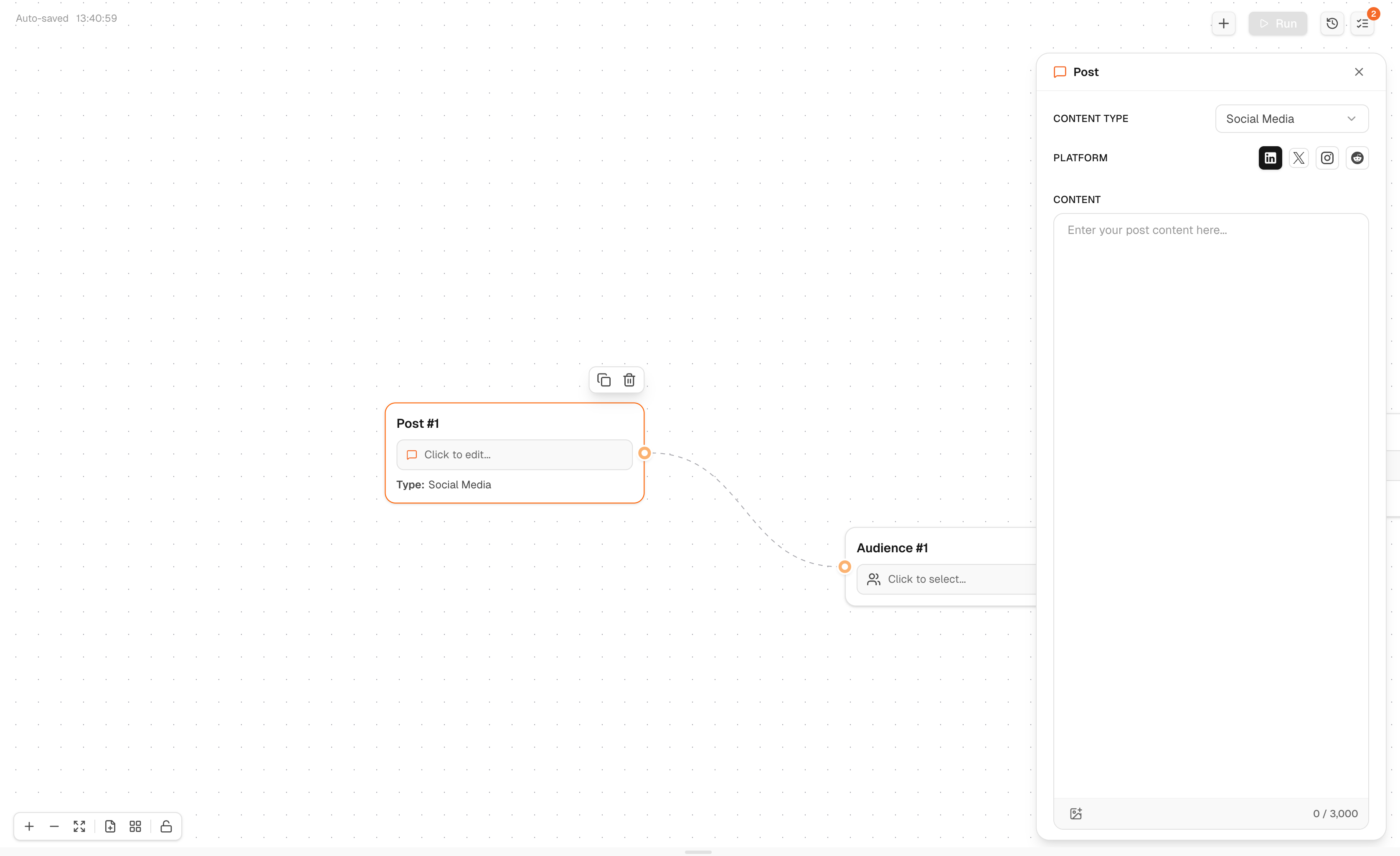
To configure your Post Node:
- Click Post #1 on the Task Canvas to open the configuration panel
- Select a Content Type:
- Social Media — LinkedIn, X, Instagram, Reddit
- Email — Marketing, Outreach, Newsletters
- Messaging — WhatsApp, WeChat, SMS
- Ad Copy — Search Ads, Display Ads, Social Ads
- Fill in the fields based on your content type
- Character limit is shown at the bottom right